
80er-Jahre KI-Fototrend: Verwandeln Sie Ihr Selfie in ein 80er-Jahre-Porträt | Fanch AI
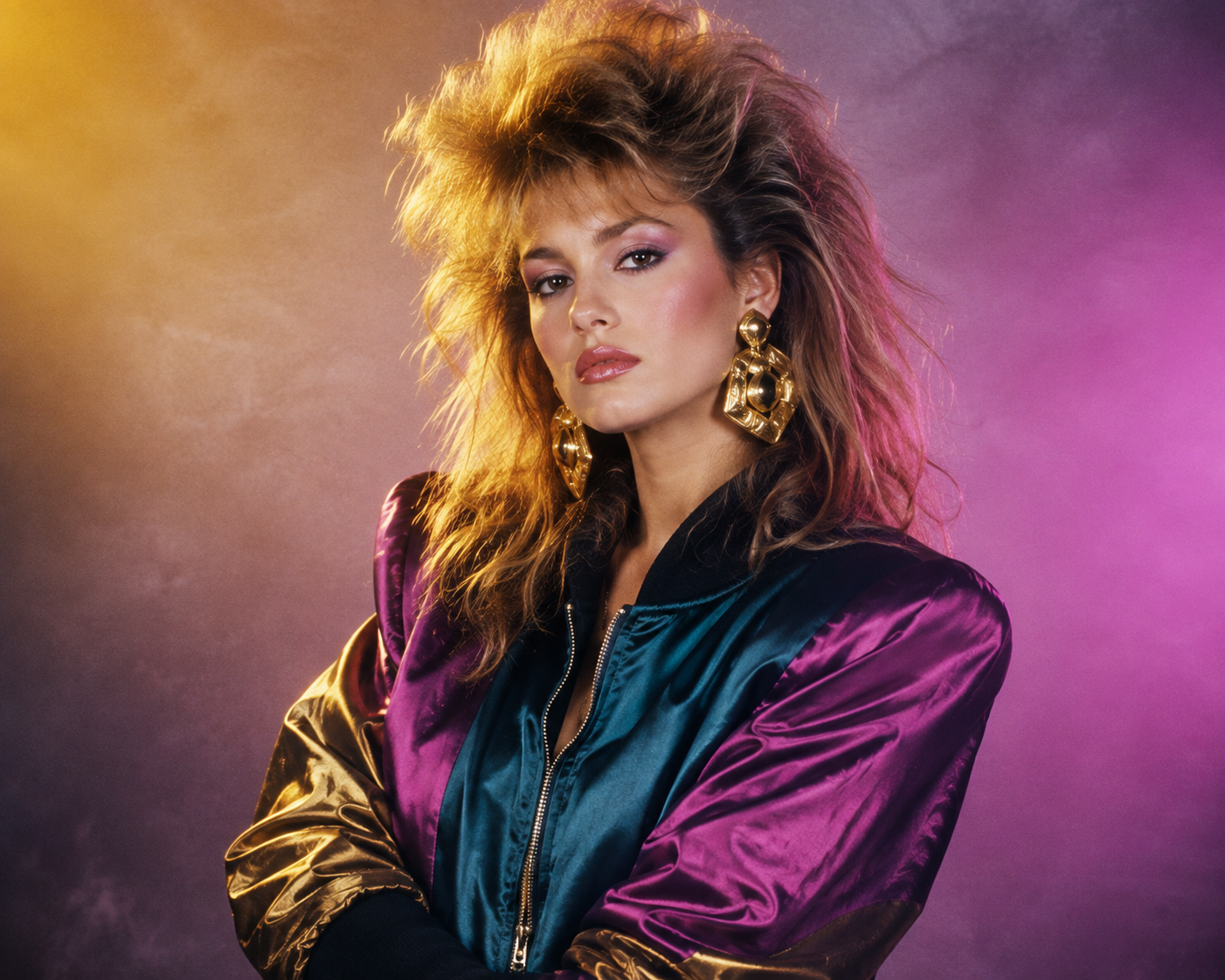
Wer diese Woche Instagram öffnet, erlebt eine Zeitreise ins Jahr 1986. Fönfrisuren, Neonlicht und analoge Filmkörnung sind überall — und alles entsteht aus einem einzigen Selfie. Der 80er-Jahre-Porträt (80s portrait)-Trend ist der beliebteste Vorher-Nachher-Look im Netz, und die Formel ist einfach: Das Gesicht bleibt unverändert, das Jahrzehnt drumherum wird neu erschaffen.
Das Beste daran: Sie brauchen weder ein Fotostudio noch Kostüme. Mit dem richtigen Prompt erstellen Sie auf Fanch AI in unter einer Minute ein überzeugendes 80er-Jahre-Porträt.
Warum der 80er-Jahre-Porträt-Trend so gut funktioniert
Das Format des 80er-Jahre-Porträts verbreitet sich deshalb so schnell, weil es das typische Problem von KI-Porträts löst: die Erkennbarkeit Ihres Gesichts.
- Ihre Identität bleibt erhalten — jedes gute 80er-Jahre-Porträt bewahrt Ihre echten Gesichtszüge und Ihren Hautton.
- Die gesamte Szene wird angepasst — Haare, Kleidung, Licht und Filmkorn werden epochengerecht gestaltet.
- Sofortiger Wiedererkennungswert — die weichgezeichnete Optik mit Fönwelle erzeugt sofort Nostalgie.
- Der "Du bist dran"-Effekt — der Sticker auf Instagram macht das Teilen des 80er-Jahre-Porträts zur Gruppenaktion.
Das Ergebnis wirkt wie ein echtes Studiofoto aus dem Jahr 1986 und nicht wie ein moderner Schnappschuss mit Filter.
Der ultimative 80er-Jahre-Porträt-Prompt
Dies ist der wichtigste Prompt für das klassische 80er-Jahre-Porträt im Glamour-Stil. Kopieren Sie ihn in Fanch AI, laden Sie Ihr Foto hoch und lassen Sie das Modell arbeiten.
Kopieren und bei Fanch AI einfügen (Modell: gpt_image_2):
Reimagine the uploaded photo as an authentic 1980s studio portrait. Keep the person's real face, facial features, and natural skin tone completely unchanged. Rebuild everything else in period style: big feathered hair with volume at the crown, a bold satin bomber jacket with strong shoulders, chunky gold statement earrings, a hazy pastel-to-magenta gradient backdrop, warm rim lighting, a soft-focus glow, visible analogue film grain, and slightly muted colors — so it reads like a genuine photograph from 1986, not a contemporary image with a filter.
Weitere 80er-Jahre-Porträt-Variationen
Sobald Sie die Studioversion erstellt haben, können Sie mit weiteren Szenarien ein ganzes Album zusammenstellen.
Kopieren und bei Fanch AI einfügen (Modell: gpt_image_2):
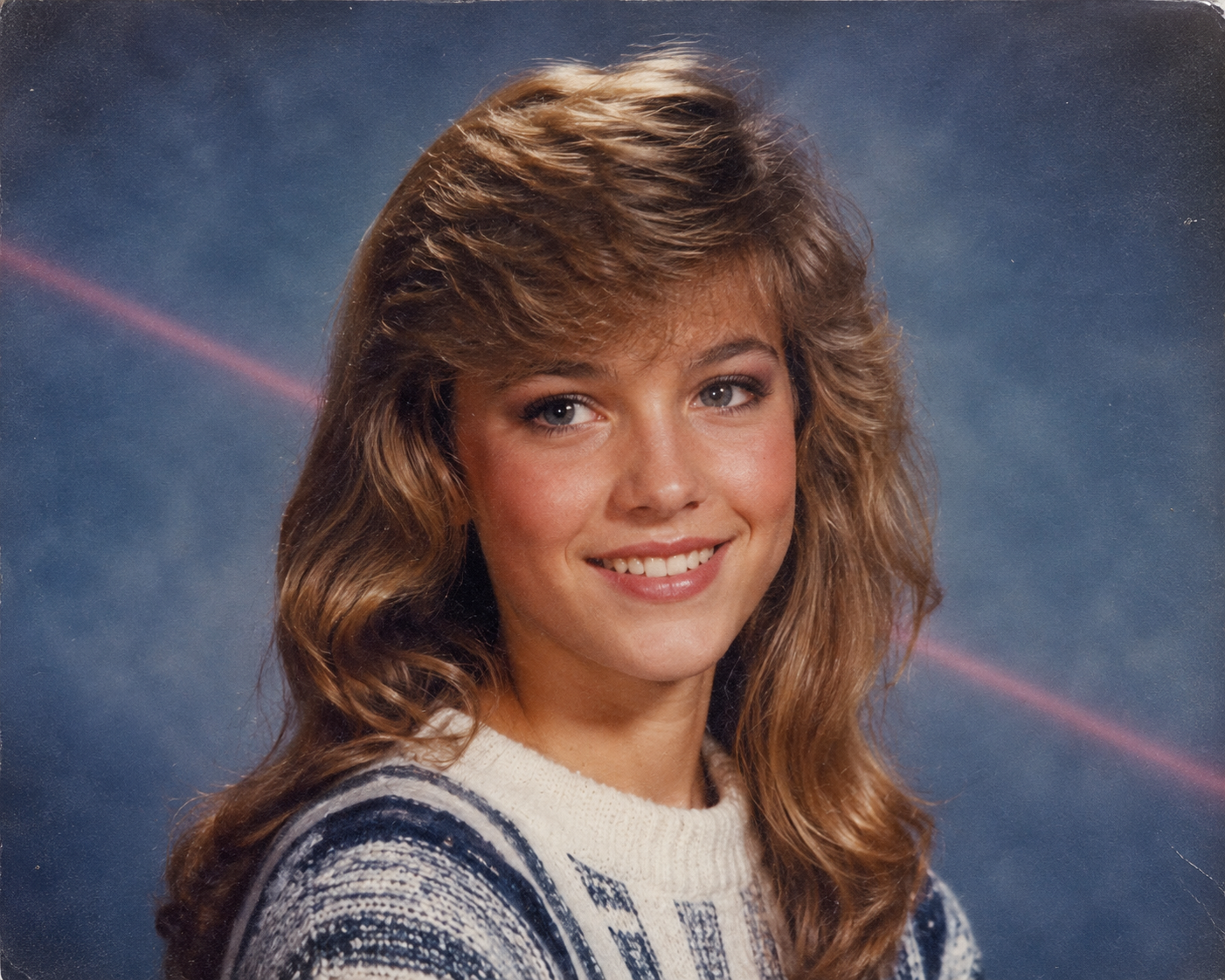
Transform the uploaded photo into a 1980s high-school yearbook portrait. Preserve the subject's exact facial features and skin tone. Give them softly feathered or side-swept hair, a striped knit sweater or collared shirt, and the classic mottled blue studio backdrop with a faint laser-beam streak. Apply gentle soft focus, light scanner texture, and gently faded colors, as though the page had been sitting in a family album for forty years.
Kopieren und bei Fanch AI einfügen (Modell: gpt_image_2):
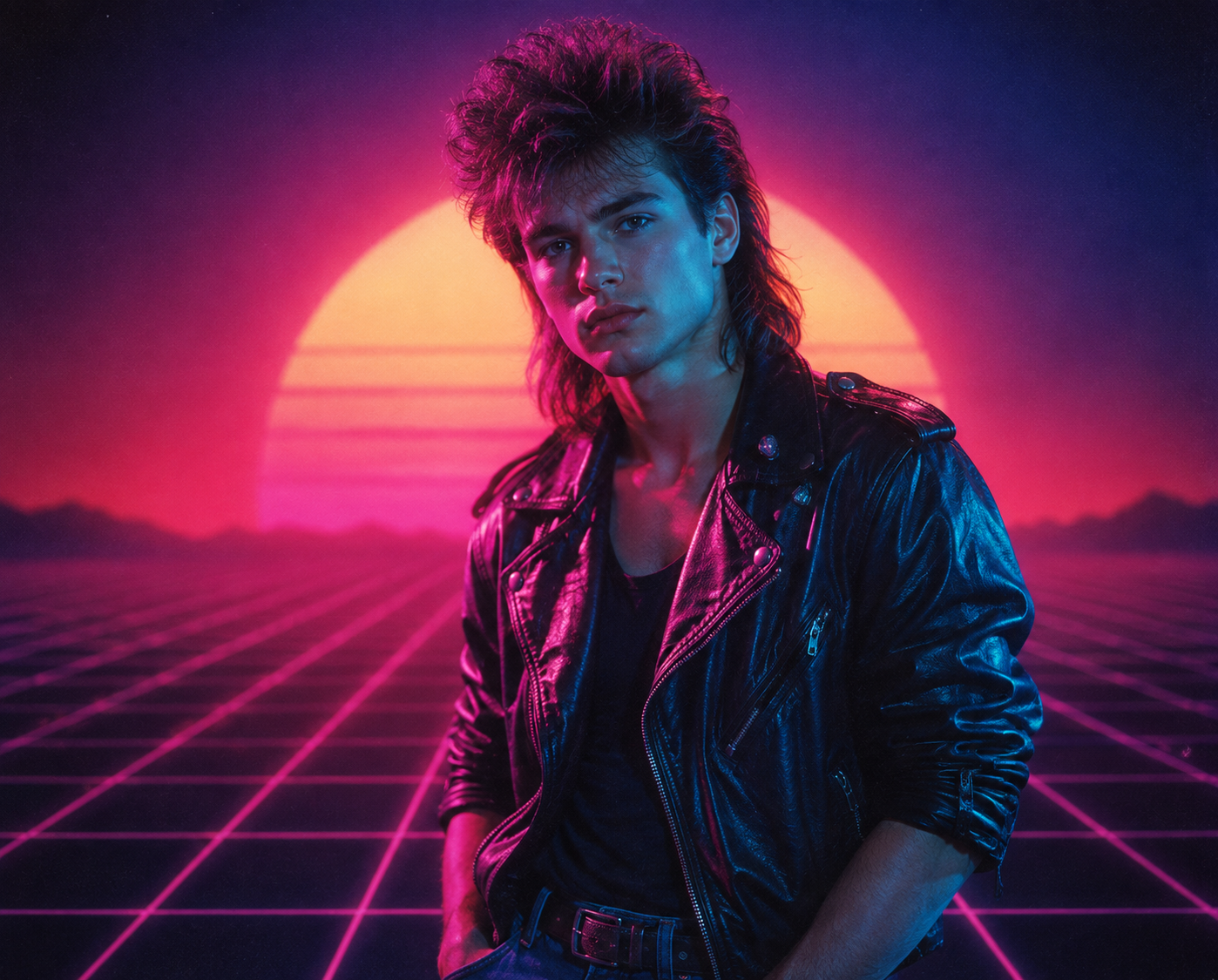
Recreate the uploaded photo as a moody 1980s synthwave portrait. Keep the person's recognizable features and skin tone intact. Add magenta and cyan neon lighting, a glowing retro grid or sunset horizon backdrop, dramatically styled big hair, and a black leather jacket with rolled sleeves. Use cinematic haze, strong contrast, visible film grain, and a soft neon glow — styled like a vintage synth album cover.
Kopieren und bei Fanch AI einfügen (Modell: gpt_image_2):
Turn the uploaded photo into a candid 1980s snapshot taken at a shopping-mall arcade. Keep the subject's face and natural skin tone unchanged. Give them permed voluminous hair, a bright windbreaker over a graphic tee, and rolled jeans with white sneakers. Surround them with glowing arcade cabinets, chrome railings, and neon signage. Warm flash-photo lighting, visible grain, and slightly washed-out color, like a real 1980s point-and-shoot print.
Kopieren und bei Fanch AI einfügen (Modell: gpt_image_2):
Reimagine the uploaded photo as a glamorous 1980s disco party portrait. Preserve the subject's real features and skin tone. Add glossy voluminous hair, a sequined or lamé outfit with bold shoulders, oversized hoop earrings, and a glittering dance-floor backdrop with mirrored disco balls and colored spotlights. Warm flash lighting, soft haze, rich film grain, and saturated retro color.
Schnelle Tipps für ein besseres 80er-Jahre-Porträt
- Nutzen Sie ein scharfes Frontal-Selfie bei gleichmäßigem Licht.
- Behalten Sie die Anweisung "preserve the face and skin tone" in jedem Prompt bei.
- Nennen Sie analoge Bildeigenschaften wie "analogue film grain" oder "faded colors".
- Vermeiden Sie Überladung — ein klares Setting wirkt authentischer.
Warum Fanch AI ideal für Ihr 80er-Jahre-Porträt ist
Fanch AI verwendet ein spezialisiertes Bildmodell, das feine Prompt-Details präzise umsetzt, damit Ihr 80er-Jahre-Porträt Ihnen wirklich ähnlich sieht.
👉 Jetzt starten: GPT Image 2 auf Fanch AI — erstellen Sie Ihr 80er-Jahre-Porträt.