
ハロウィン AI 写真トレンド:ゴーストフェイス風スタイルの解説 | Fanch AI
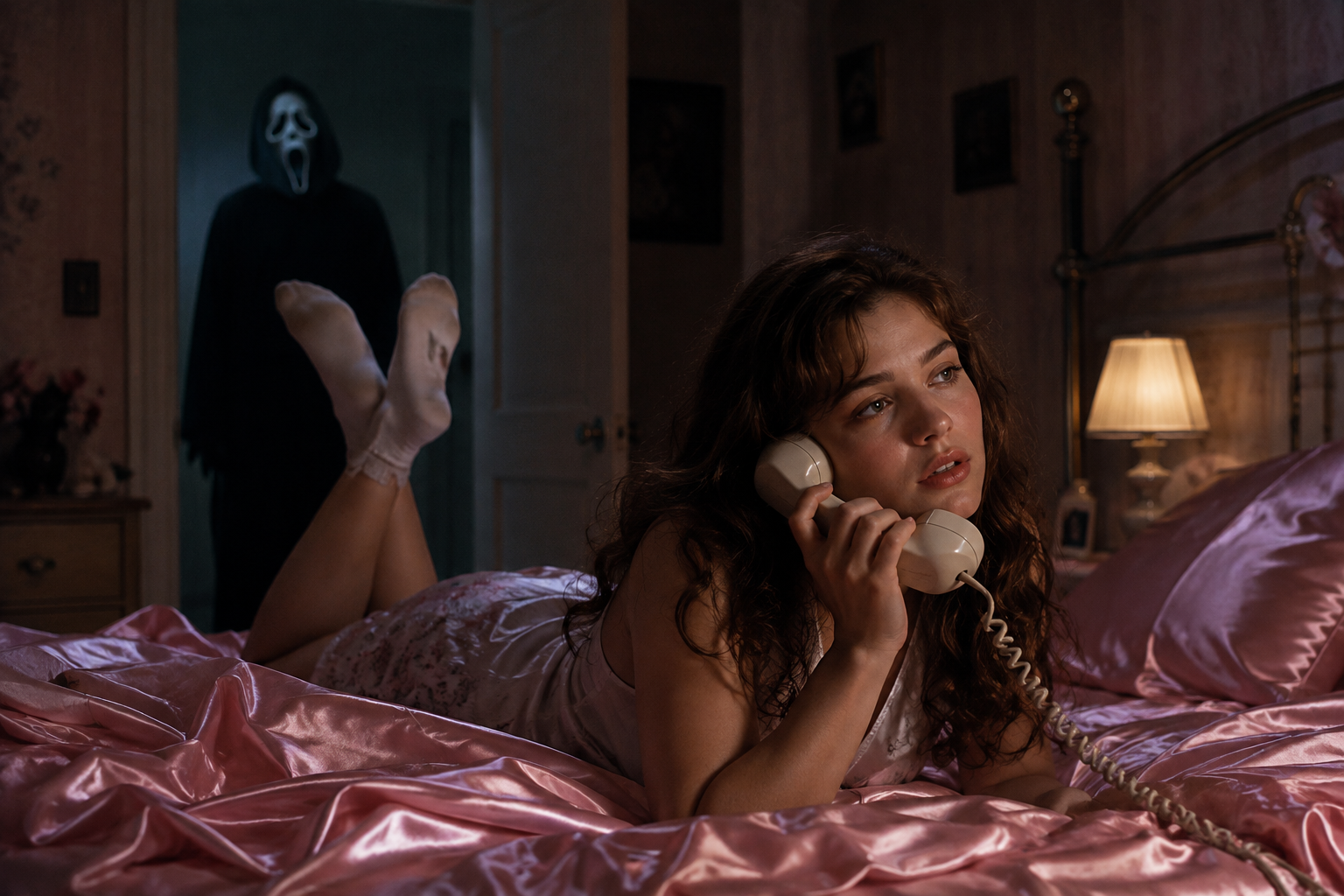
不気味なハロウィンシーズンが正式に到来し、あらゆるフィードを1つのトレンドが支配しています。それがゴーストフェイス(Ghostface)写真です。アイデアは映画『スクリーム』(Scream)から直接きています——居心地の良い90年代風の寝室に横たわるあなたの背後、暗いドアの隙間にフードを被りマスクをつけた人影が静かに立っています。居心地の良いノスタルジーと静かな恐怖の組み合わせこそが、ハロウィン AI 写真(Halloween AI photo) フォーマットが爆発的に広まった理由です。今シーズン最も認知度の高いハロウィン AI 写真トレンドです。
最も素晴らしい点はその手軽さです。必要なのは、1枚のセルフィー、1つのプロンプト、そしてわずか数分だけです。ここではハロウィン AI 写真トレンドの仕組みと、Fanch AI で独自のハロウィン AI 写真を作成する方法を解説します。誰でも1つのプロンプトで本格的なハロウィン AI 写真を作ることができます。
なぜゴーストフェイス ハロウィン AI 写真トレンドがこれほど支持されるのか
ハロウィン AI 写真 の公式はコントラストの美学であり、それが拡散される理由です:
- 安らぎと恐怖の融合 — 温かみのあるY2K風の寝室と潜む人影の組み合わせは、不気味で楽しい雰囲気を瞬時に演出します。
- 本人の顔立ちがそのまま残る — 優れたハロウィン AI 写真は、実際の顔立ちや肌のトーンを変えずに保持します。
- 一目でそれとわかる — 誰もが知る元ネタがあるため、1枚のハロウィン AI 写真で即座に意図が伝わります。
- 無限のバリエーション — ポーチ、廊下、カボチャ畑、映画ポスターなど、1つのハロウィン AI 写真プロンプトから一連のセットが作成できます。
その結果、単なる衣装のスナップ写真ではなく、ホラー映画のワンシーンのような写真が完成します。それこそが優れたハロウィン AI 写真の醍醐味です。
究極のハロウィン AI 写真プロンプト
これは象徴的なスタイルを作成するためのコアプロンプトです。他のすべてのハロウィン AI 写真のバリエーションはこのプロンプトをベースに構築されるため、まずこれをマスターするのが近道です。Fanch AI にコピーし、写真をアップロードすれば、あとはモデルがシーンを構築します。
以下をコピーして Fanch AI に貼り付け(モデル選択:gpt_image_2):
Create a photo of the uploaded person lying on shiny pink satin bedding in a 1990s-style bedroom, holding a large corded telephone in a dreamy, thoughtful pose, with long loose curls. In the dimly lit doorway behind them, a tall figure in a black hooded robe wearing a pale, elongated ghostly white mask stands silently watching. Slightly dark and ominous background, cinematic horror lighting, subtle film grain, 90s photography aesthetic, photorealistic. Keep the person's real face and features exactly as in the uploaded photo.
素晴らしいハロウィン AI 写真の魔法は、穏やかな人物と背景の異変との間の強いコントラストにあります。これこそが、単なるネタ写真ではなくシネマティックな仕上がりに感じさせる理由です。
さらに広がるハロウィン AI 写真バリエーション
コアスタイルをマスターしたら、設定を切り替えて一連のセットを構築しましょう。どれも「顔を保持する」手法を採用しているため、1つのハロウィン AI 写真プロンプトからアルバム全体へと拡張できます。
以下をコピーして Fanch AI に貼り付け(モデル選択:gpt_image_2):
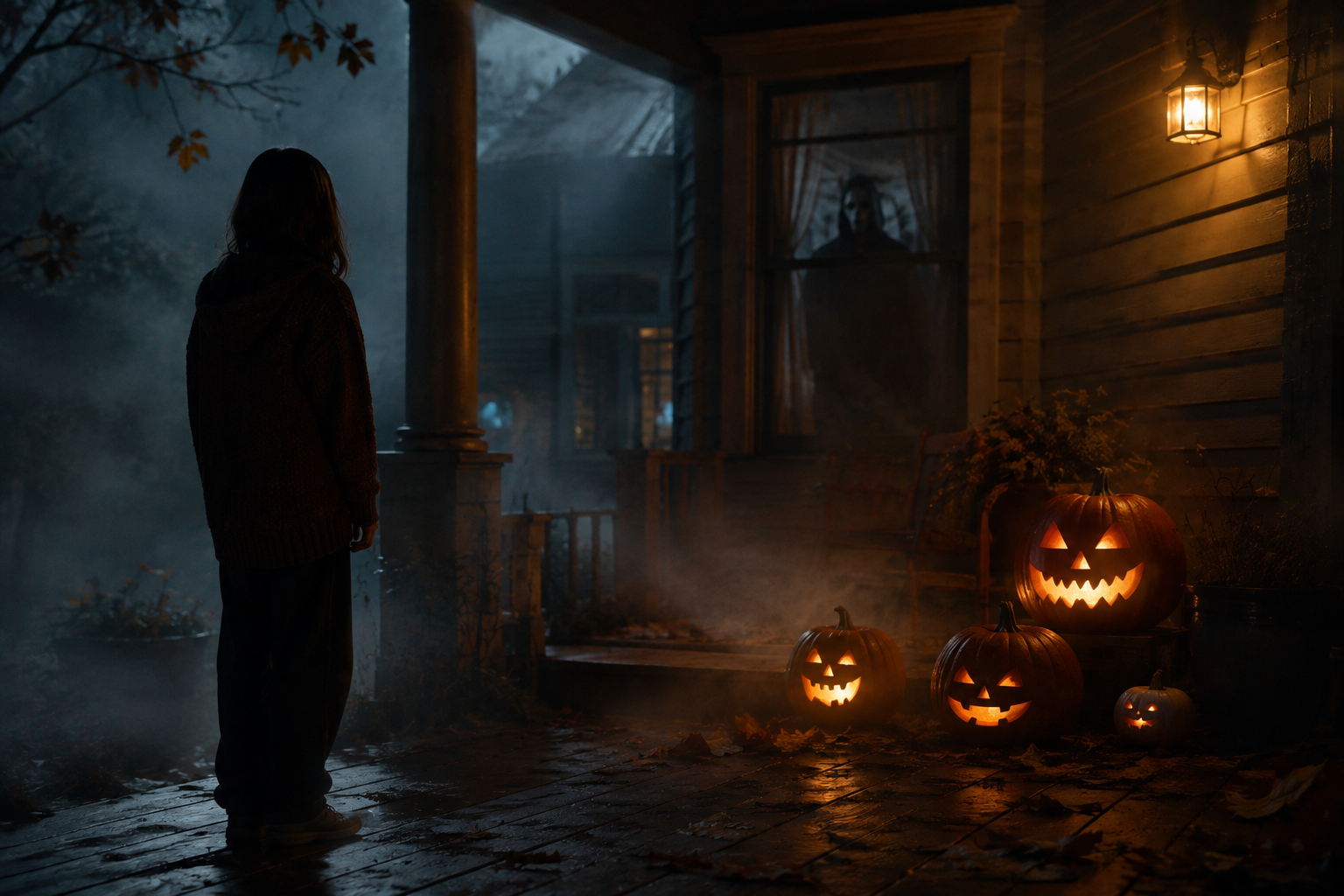
Transform the uploaded photo into a night scene on a foggy front porch, with the person standing beside glowing carved pumpkins and a shadowy masked figure visible through the window behind them. Warm jack-o'-lantern glow against cold blue moonlight, autumn leaves, mist, cinematic spooky atmosphere, photorealistic. Keep the person's face and features unchanged.
以下をコピーして Fanch AI に貼り付け(モデル選択:gpt_image_2):
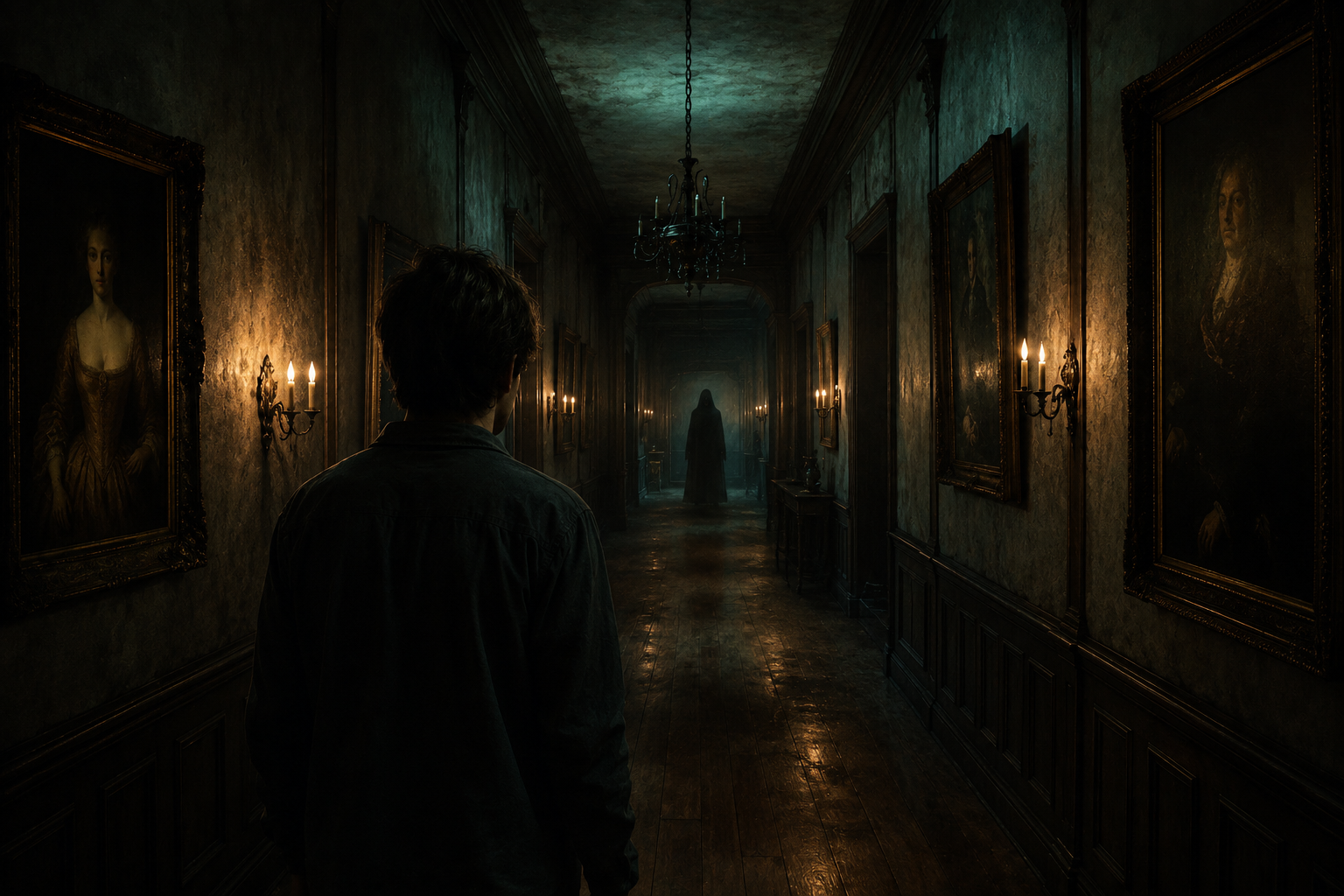
Place the uploaded person at the end of a long, dimly lit hallway lined with old framed portraits and flickering wall sconces, with a faint hooded silhouette far down the corridor. Moody teal and amber lighting, dust suspended in the air, horror-movie cinematography, photorealistic. Keep the person's real face and features exactly as uploaded.
以下をコピーして Fanch AI に貼り付け(モデル選択:gpt_image_2):
Set the uploaded person in a pumpkin patch at dusk, with mist rolling low across the ground, a weathered scarecrow, and a distant hooded figure standing among the vines. Warm sunset fading into a deep purple sky, cinematic Halloween atmosphere, photorealistic. Keep the person's face and skin tone unchanged.
以下をコピーして Fanch AI に貼り付け(モデル選択:gpt_image_2):
Turn the uploaded photo into a vintage 1980s-style horror movie poster featuring the person, with bold retro typography, distressed print texture, slightly faded VHS colors, and a spooky silhouette looming in the background. Keep the person's facial features and skin tone exactly as uploaded.
より良いハロウィン AI 写真を作成するためのクイックヒント
いくつかの小さな工夫で、ハロウィン AI 写真がより本物らしく仕上がります:
- 顔の特徴をしっかりと捉えられるよう、均一な光の下で撮影された正面の明るいセルフィーから始めましょう。
- 顔立ちが変わってしまわないよう、すべてのハロウィン AI 写真プロンプトに「preserve the face and skin tone(顔立ちと肌のトーンを保持する)」という指示を含めてください。
- 恐怖感だけでなく光を描写します — 「cold moonlight(冷たい月光)」、「warm pumpkin glow(温かいカボチャの光)」、「flickering sconces(チラつく壁灯)」。
- 恐怖を直接見せずにほのめかします。ドアの奥の遠い人影は、あからさまな演出よりも恐ろしさを引き立てます。
- 2〜3回生成して、一番お気に入りのハロウィン AI 写真を選びましょう。
なぜ Fanch AI がハロウィン AI 写真に最適なのか
Fanch AI はプロンプトの細かいニュアンスをしっかりと追従する専用画像モデルを備えているため、ライティング、雰囲気、潜む人影が完璧に表現され、かつハロウィン AI 写真があなた本人らしく仕上がります。スタジオの手配も難しい設定も不要です。セルフィーをアップロードし、プロンプトを貼り付けるだけで、シーズンが終わる前に投稿できるハロウィン AI 写真が完成します。
👉 ここからスタート:Fanch AI の GPT Image 2 — 今すぐ独自のハロウィン AI 写真を生成しましょう。