
80년대 AI 사진 트렌드: 셀카를 80년대 레트로 포트레이트로 변환 | Fanch AI
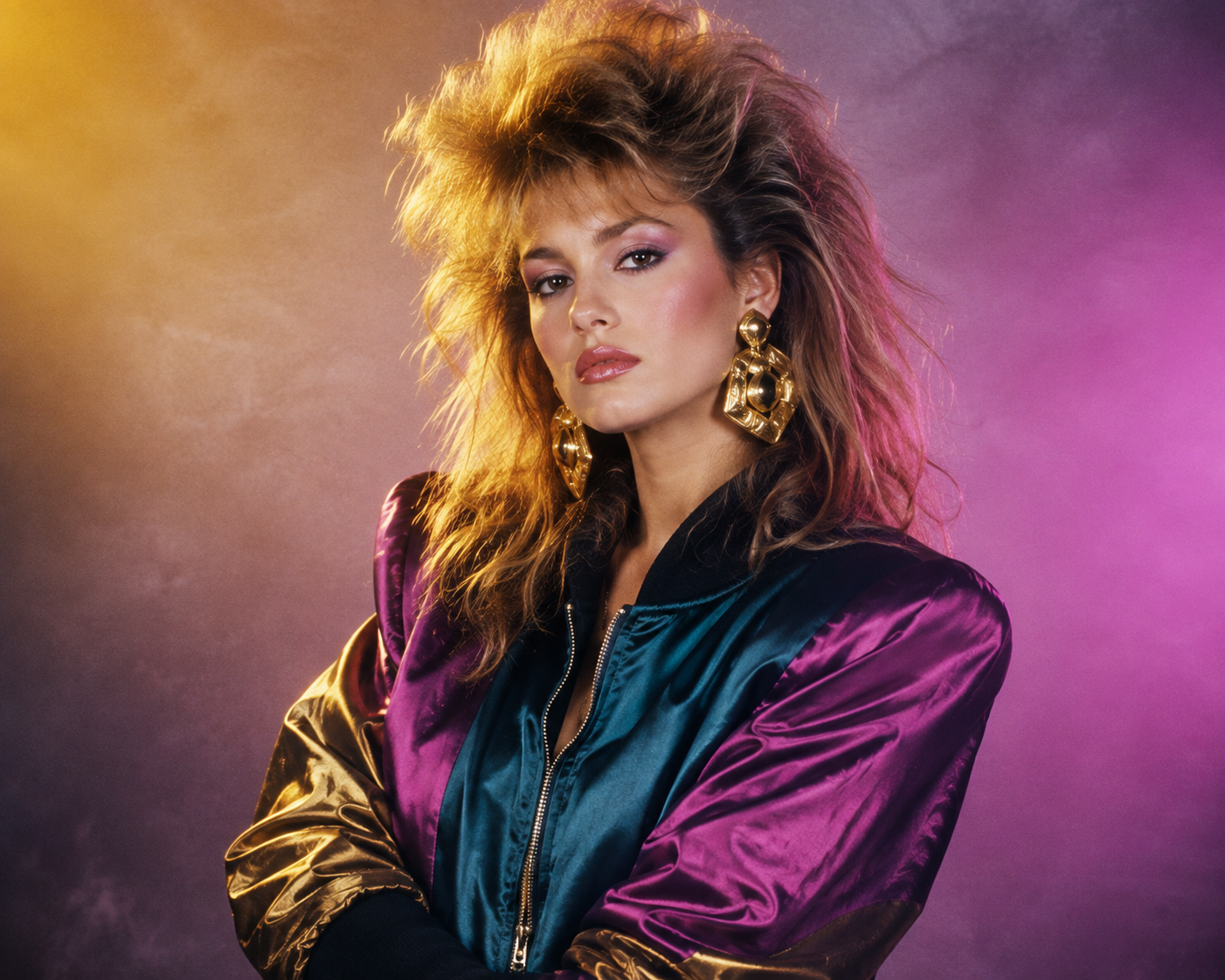
이번 주 피드를 열어보면 1986년으로 타임슬립한 듯한 느낌을 받게 됩니다. 풍성한 헤어스타일, 네온 조명, 필름 카메라이 주는 노이즈 질감이 피드를 채우고 있으며, 이 모든 것은 단 한 장의 셀카로 만들어집니다. 80년대 포트레이트(80s portrait) 트렌드는 인터넷에서 가장 인기 있는 메이크오버 스타일이 되었으며, 연출법은 간단합니다. 얼굴은 그대로 유지하고 그 주변 환경을 80년대 스타일로 재구성하는 것입니다.
스튜디오나 의상을 준비할 필요 없이, 적절한 프롬프트만 있다면 Fanch AI에서 1분 이내에 매력적인 80년대 포트레이트를 생성할 수 있습니다.
80년대 포트레이트 트렌드가 인기를 끄는 이유
80년대 포트레이트 포맷이 빠르게 확산된 이유는 기존 AI 초상화가 자주 범하던 오류, 즉 실제 본인의 얼굴을 정확히 유지해 주기 때문입니다.
- 본인의 정체성 유지 — 완성도 높은 80년대 포트레이트는 실제 이목구비와 자연스러운 피부 톤을 그대로 보존합니다.
- 배경 및 연출의 재구성 — 헤어, 의상, 조명, 필름 질감이 80년대 감성에 맞게 완성됩니다.
- 직관적인 레트로 감성 — 부드러운 포커스와 풍성한 헤어스타일의 80년대 포트레이트는 보는 즉시 향수를 자극합니다.
- '직접 추가(Add Yours)' 스티커의 바이럴 효과 — Instagram의 공유 스티커를 통해 80년대 포트레이트를 친구들과 함께 즐길 수 있습니다.
그 결과 레트로 필터를 씌운 현대 사진이 아닌, 1986년 스튜디오에서 찍은 것 같은 고품질 사진이 완성됩니다.
궁극의 80년대 포트레이트 프롬프트
클래식한 스튜디오 글래머 스타일의 80년대 포트레이트 핵심 프롬프트입니다. 다른 모든 응용 프롬프트의 기준이 되므로 가장 먼저 테스트해 보기를 권장합니다. Fanch AI에 복사하여 붙여넣고 사진을 업로드하면 됩니다.
Fanch AI에 복사하여 붙여넣기 (모델 선택: gpt_image_2):
Reimagine the uploaded photo as an authentic 1980s studio portrait. Keep the person's real face, facial features, and natural skin tone completely unchanged. Rebuild everything else in period style: big feathered hair with volume at the crown, a bold satin bomber jacket with strong shoulders, chunky gold statement earrings, a hazy pastel-to-magenta gradient backdrop, warm rim lighting, a soft-focus glow, visible analogue film grain, and slightly muted colors — so it reads like a genuine photograph from 1986, not a contemporary image with a filter.
다양한 80년대 포트레이트 변형 스타일
기본 스튜디오 버전을 생성한 후, 배경 테마를 변경하여 다양한 컨셉의 사진을 완성해 보세요.
Fanch AI에 복사하여 붙여넣기 (모델 선택: gpt_image_2):
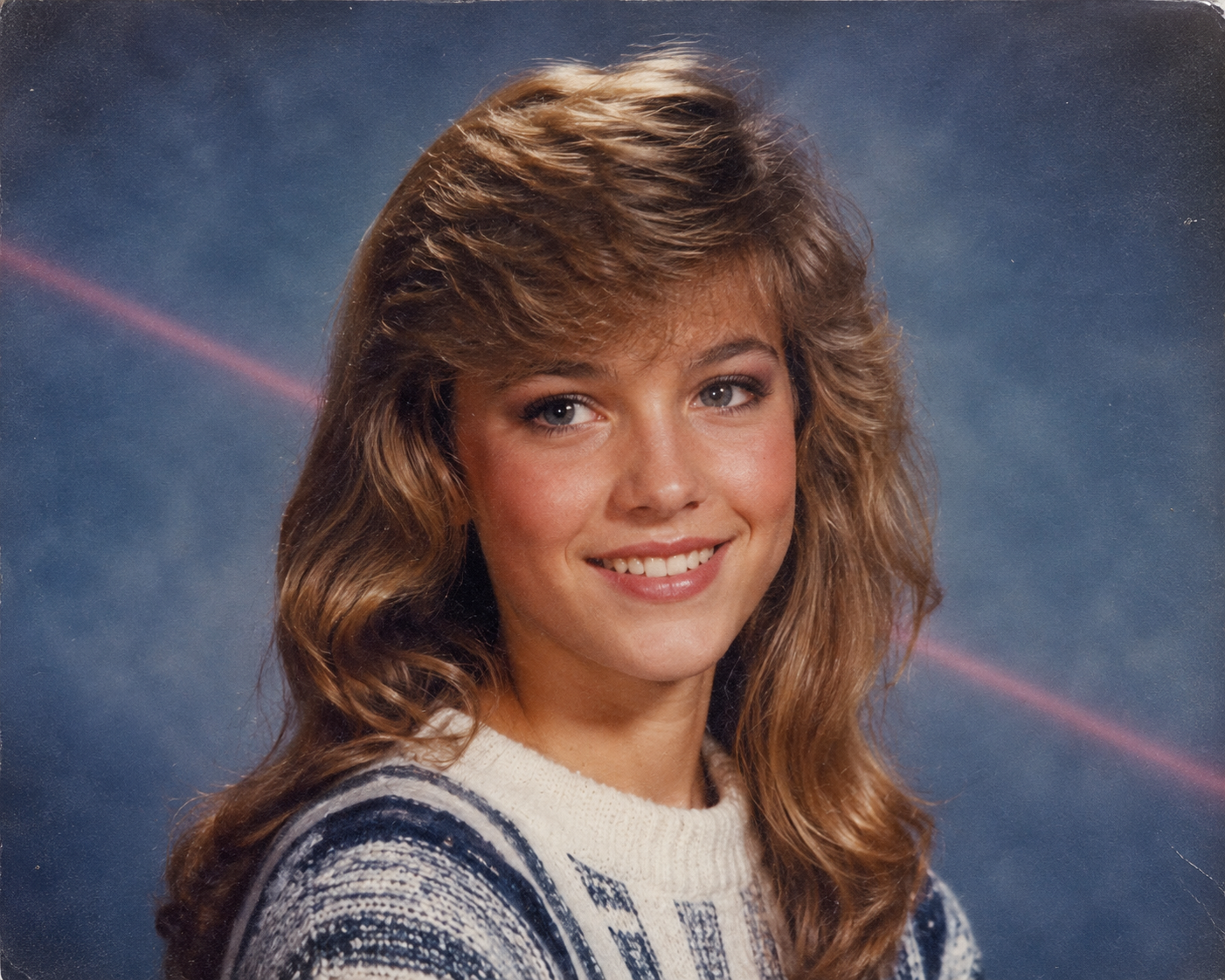
Transform the uploaded photo into a 1980s high-school yearbook portrait. Preserve the subject's exact facial features and skin tone. Give them softly feathered or side-swept hair, a striped knit sweater or collared shirt, and the classic mottled blue studio backdrop with a faint laser-beam streak. Apply gentle soft focus, light scanner texture, and gently faded colors, as though the page had been sitting in a family album for forty years.
Fanch AI에 복사하여 붙여넣기 (모델 선택: gpt_image_2):
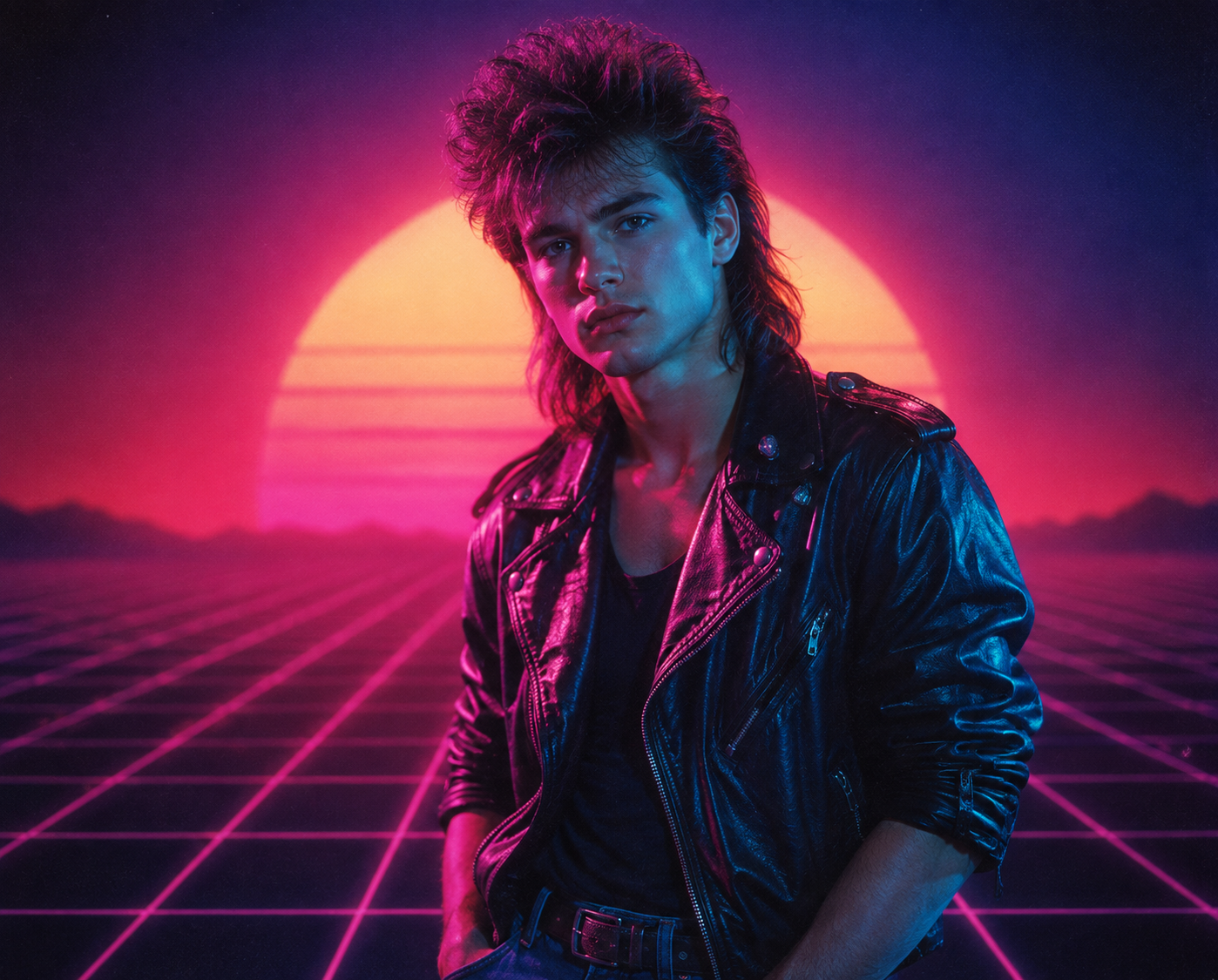
Recreate the uploaded photo as a moody 1980s synthwave portrait. Keep the person's recognizable features and skin tone intact. Add magenta and cyan neon lighting, a glowing retro grid or sunset horizon backdrop, dramatically styled big hair, and a black leather jacket with rolled sleeves. Use cinematic haze, strong contrast, visible film grain, and a soft neon glow — styled like a vintage synth album cover.
Fanch AI에 복사하여 붙여넣기 (모델 선택: gpt_image_2):
Turn the uploaded photo into a candid 1980s snapshot taken at a shopping-mall arcade. Keep the subject's face and natural skin tone unchanged. Give them permed voluminous hair, a bright windbreaker over a graphic tee, and rolled jeans with white sneakers. Surround them with glowing arcade cabinets, chrome railings, and neon signage. Warm flash-photo lighting, visible grain, and slightly washed-out color, like a real 1980s point-and-shoot print.
Fanch AI에 복사하여 붙여넣기 (모델 선택: gpt_image_2):
Reimagine the uploaded photo as a glamorous 1980s disco party portrait. Preserve the subject's real features and skin tone. Add glossy voluminous hair, a sequined or lamé outfit with bold shoulders, oversized hoop earrings, and a glittering dance-floor backdrop with mirrored disco balls and colored spotlights. Warm flash lighting, soft haze, rich film grain, and saturated retro color.
고품질 80년대 포트레이트를 위한 팁
- 조명이 균일하고 얼굴이 명확히 보이는 정면 셀카 사진을 사용하세요.
- 프롬프트에 "preserve the face and skin tone" 구문을 포함하여 본인의 얼굴이 변형되지 않도록 하세요.
- "analogue film grain", "faded colors" 등 필름 질감과 관련된 단어를 명시하세요.
- 지나치게 많은 요소를 넣기보다는 명확한 하나의 컨셉(스튜디오, 졸업앨범 등)을 설정하는 것이 좋습니다.
Fanch AI가 80년대 포트레이트 생성에 적합한 이유
Fanch AI는 프롬프트의 디테일을 정교하게 반영하는 이미지 모델을 지원하여, 레트로 감성을 완벽히 구현하면서도 본인의 실제 모습을 자연스럽게 유지해 줍니다.
👉 여기서 시작하세요: Fanch AI의 GPT Image 2 — 지금 나만의 80년대 포트레이트를 생성해 보세요.