
Janmashtami AI 초상화 가이드: 내 사진을 Radha Rani로 원클릭 변환 | Fanch AI
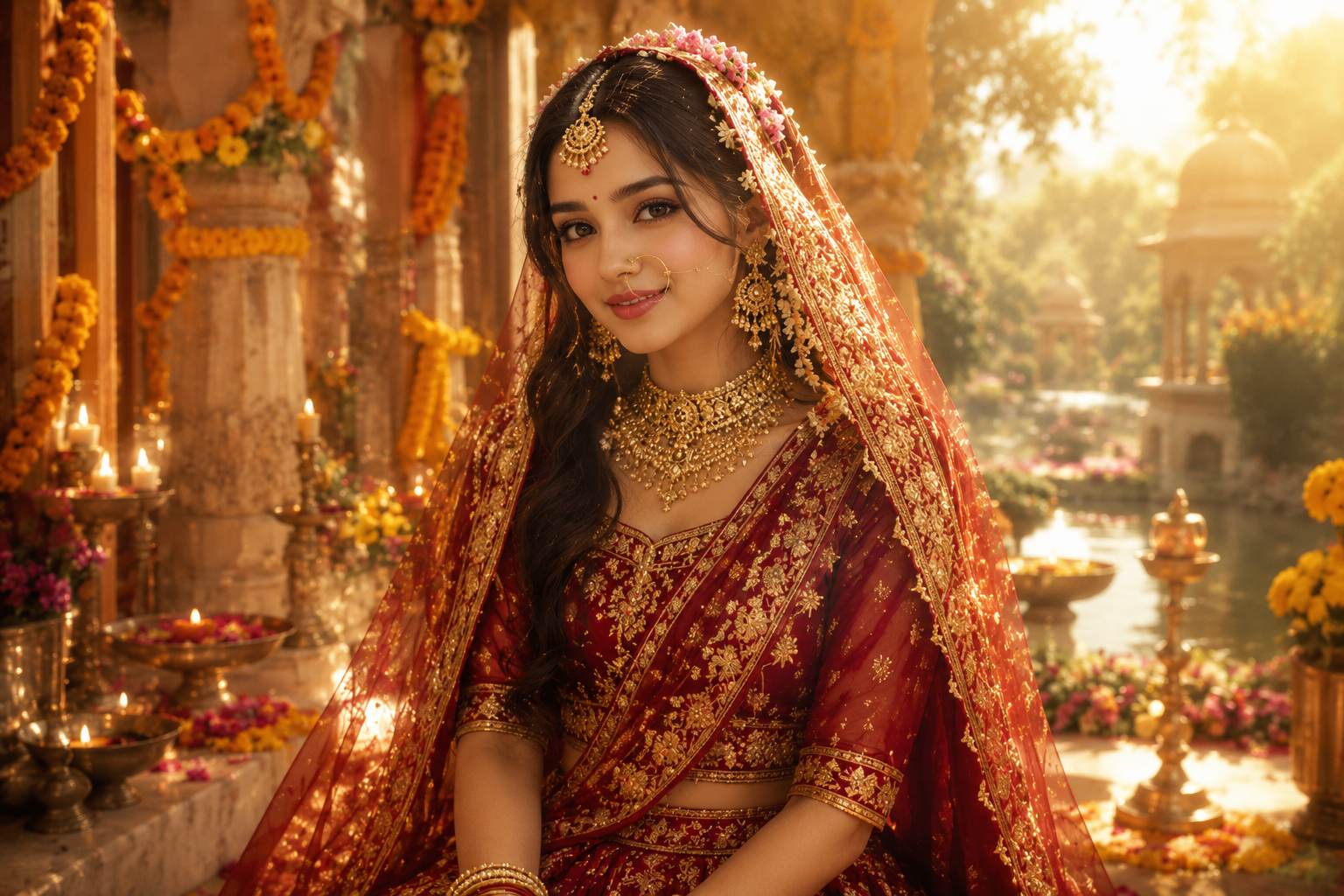
Janmashtami(크리슈나 탄신일) 시즌이 되면 소셜 미디어는 경건한 분위기의 초상화로 가득 차며, 올해의 가장 큰 트렌드는 단연 AI 초상화 스타일링입니다. 의상을 대여하고 스튜디오를 예약하는 대신, 사람들은 셀카 한 장을 업로드하고 AI에게 자신을 Radha Rani, Bal Krishna, 또는 자애로운 Yashoda로 재해석해 달라고 요청합니다. 그 결과 몇 분 만에 멋지고 축제 분위기에 딱 맞는 Janmashtami AI 초상화가 완성됩니다. 특히 Radha Rani 룩은 신성한 우아함과 손쉬운 맞춤 설정 덕분에 이번 시즌 가장 인기 있는 스타일로 자리 잡았습니다.
비결은 간단하면서도 정교합니다. 모델에게 인물의 실제 얼굴과 정체성을 그대로 유지하도록 지시하고, 그 외의 모든 요소를 변경하는 것입니다. Fanch AI에서 프롬프트를 사용하여 나만의 Radha Rani 초상화를 만드는 방법을 소개합니다. Radha Rani 기본 스타일만 마스터하면 나머지는 매우 쉽습니다.
Radha Rani 초상화 트렌드가 폭발적인 인기를 끄는 이유
잘 만들어진 Radha Rani 초상화는 전문 스튜디오에서 촬영한 것처럼 보이지만, 실제로는 단 한 장의 셀카만 필요합니다. 이 포맷이 빠르게 확산되는 이유는 다음과 같습니다:
- 스튜디오 촬영 불필요 — 셀카 한 장으로 완전한 경건한 초상화가 완성되어 신속한 축제 포스팅에 완벽합니다.
- 얼굴 특징 완벽 유지 — 모델이 실제 이목구비를 보존하므로 생성된 Radha Rani 초상화가 실제로 본인처럼 보입니다.
- 테마가 있는 스토리텔링 — Radha Rani 룩, Bal Krishna 룩, Yashoda 룩은 축제 기간 동안 사람들이 공유하고 싶어 하는 문화적 이야기를 담고 있습니다.
- 범용적인 설정 — 동일한 프롬프트 구조가 어린이, 커플, 가족 사진에도 적용되므로 온 가족이 어울리는 Radha Rani 테마 세트를 만들 수 있습니다.
- Radha Rani가 주인공 — 축제 기간 동안 가장 많이 공유되는 스타일이며, 잘 만들어진 Radha Rani 초상화는 어떤 사진이든 돋보이게 만듭니다.
궁극의 Radha Rani Janmashtami AI 초상화 프롬프트
우아하고 신성한 Radha Rani 룩을 연출하기 위한 핵심 프롬프트입니다. 다른 모든 Radha Rani 변형이 이 프롬프트를 기반으로 제작되므로 가장 먼저 마스터해야 할 필수 프롬프트입니다. Fanch AI에 복사하여 붙여넣고 사진을 업로드하면 모델이 알아서 처리합니다.
Fanch AI에 복사하여 붙여넣기 (모델 선택: gpt_image_2):
Transform the uploaded photo into a graceful and divine Radha Rani portrait for Janmashtami. Preserve the subject's original facial features, skin tone, and expression with maximum accuracy — do not change the face. Dress her in an elegant traditional silk lehenga in deep red and gold, adorned with ornate gold jewellery, a delicate maang tikka, a nath nose ring, and a soft vermillion bindi. Set the scene in a dreamy Vrindavan courtyard: lush marigold garlands, a serene temple arch, glowing diyas, and soft golden sunlight with a gentle divine aura. The final image should look like a premium professional devotional photoshoot — photorealistic, warm, elegant, and ethereal. Keep the subject at their natural age; no cartoon styling.
이 Radha Rani 프롬프트의 핵심은 "얼굴 유지" 지시문과 풍부한 의상 및 배경 디테일의 조합입니다. 이러한 대비가 당신의 Radha Rani 결과물을 정형화된 느낌이 아닌 개인 맞춤형 스타일로 만들어 줍니다. 가장 완성도 높은 Radha Rani 이미지를 얻으려면, 모델이 얼굴을 정확히 인식할 수 있도록 조명이 밝고 선명한 셀카 사진을 사용하세요.
더 다양한 Radha Rani 변형 스타일
기본 Radha Rani 룩을 마스터했다면 테마를 변경하여 전체 세트를 만들어 보세요. Radha Rani 프롬프트는 시작에 불과합니다. 각 변형 스타일은 동일한 기술을 기반으로 하므로, 단일 Radha Rani 초상화를 넘어 온 가족을 위한 세트 시리즈를 연출할 수 있습니다.
Fanch AI에 복사하여 붙여넣기 (모델 선택: gpt_image_2):
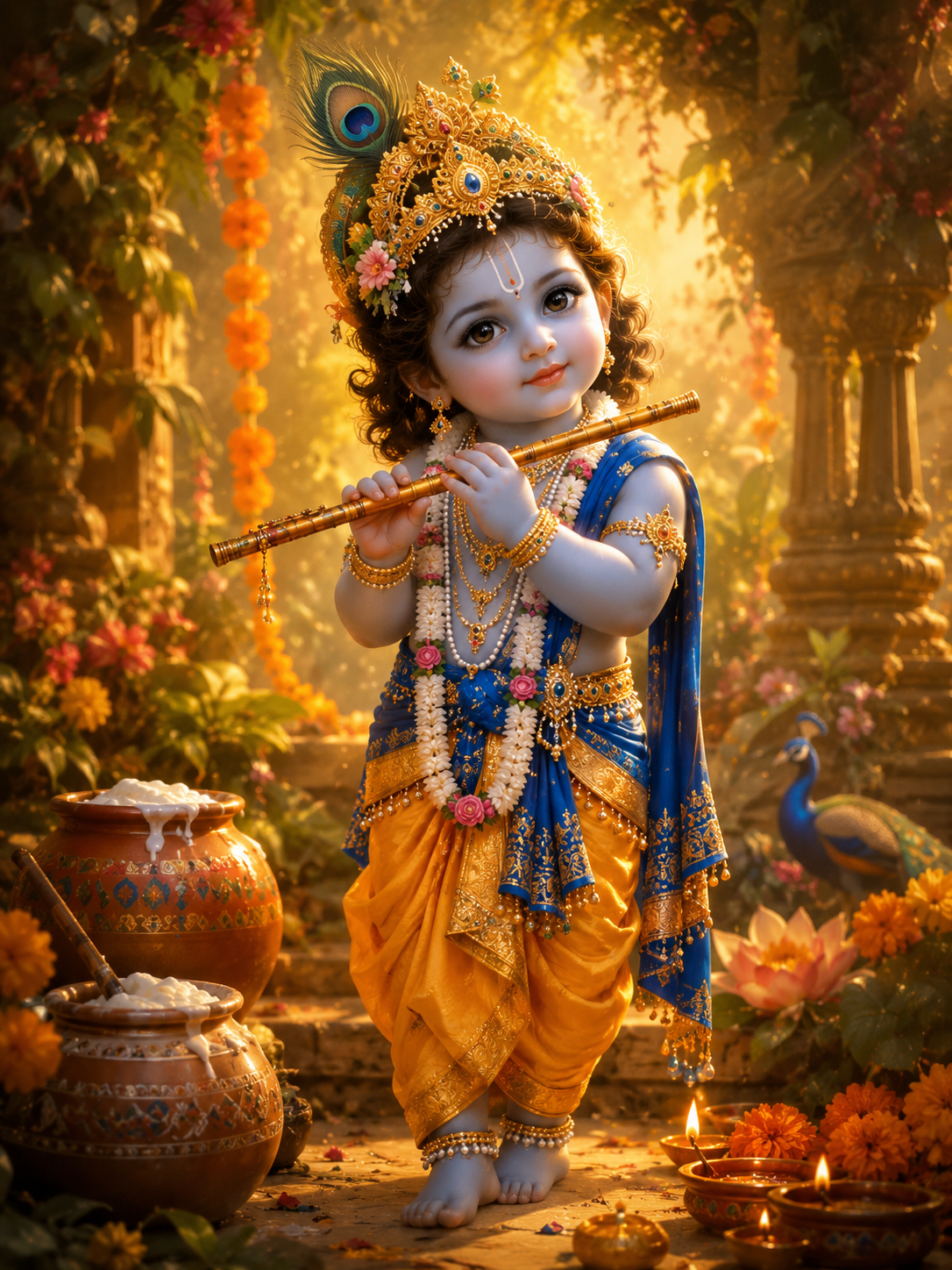
Transform the uploaded photo into a charming, stylized devotional illustration of baby Krishna for Janmashtami — render it as a warm painted illustration, not a photograph. Keep a soft, innocent, childlike feel and a gentle facial resemblance while dressing the figure in a rich yellow and gold silk dhoti with a royal blue stole, delicate pearl and gold jewellery, anklets, and an ornate golden mukut crowned with a natural peacock feather. Place a beautifully carved bansuri in the hands and add a subtle traditional tilak on the forehead. Surround the figure with lush greenery, marigolds, earthen butter pots, and glowing diyas under soft golden light with a faint divine glow. Painterly, premium, and devotional.
Fanch AI에 복사하여 붙여넣기 (모델 선택: gpt_image_2):
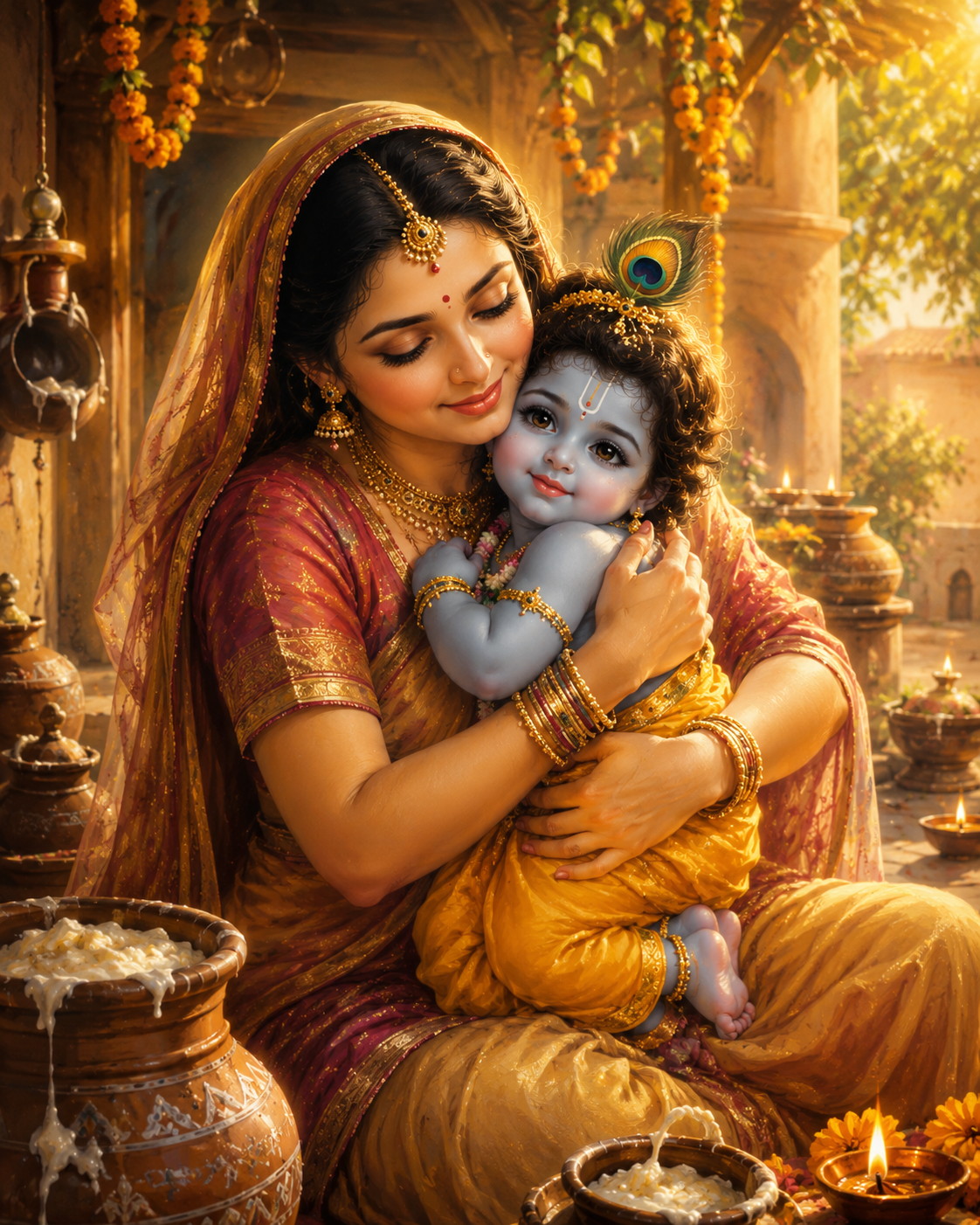
Transform the uploaded photo into a warm, stylized devotional illustration of Mata Yashoda cradling baby Krishna for Janmashtami — render it as a soft painted illustration, not a photograph. Keep a natural, age-appropriate, innocent feel with gentle facial resemblance. Show the baby Krishna figure in a yellow silk dhoti, blue-and-gold stole, and a peacock-feather mukut with a bansuri, and the Yashoda figure in a graceful traditional saree with a bindi and refined gold jewellery. Capture a loving embrace in a rustic Gokul courtyard with earthen butter pots, marigold garlands, glowing diyas, and soft golden light. Painterly, maternal, peaceful, and heartwarming.
Fanch AI에 복사하여 붙여넣기 (모델 선택: gpt_image_2):
Transform the uploaded photo into a tender Radha and Krishna portrait for Janmashtami. Preserve both subjects' facial features, expressions, and skin tones exactly. Dress one in a red-and-gold Radha attire with traditional jewellery and a maang tikka, and the other in a yellow silk dhoti with a blue-and-gold stole, peacock-feather mukut, and a bansuri. Place them in a lush Vrindavan grove beside the Yamuna, with soft morning light, gentle mist, a blooming kadamba tree, and glowing diyas. Photorealistic, warm, devotional, and cinematic.
더 뛰어난 Radha Rani 결과를 위한 팁
몇 가지 세부 사항을 조절하면 Radha Rani 이미지가 더욱 고급스러워집니다:
- 얼굴이 선명하게 유지되도록 조명이 균일한 정면 사진을 사용하세요.
- 장신구와 직물의 질감을 자세히 설명하세요 — Radha Rani 의상이 구체적일수록 결과물이 풍성해집니다.
- 정체성이 변하지 않도록 모든 Radha Rani 프롬프트에 "preserve the face" 지시문을 유지하세요.
- 몇 가지 Radha Rani 스타일을 시도해 보고 가장 마음에 드는 이미지를 선택하세요.
- "Vrindavan", "Gokul", "temple"과 같은 장소 단어를 조합하여 분위기를 연출해 보세요.
Janmashtami AI 초상화 제작에 Fanch AI가 최적인 이유
Fanch AI는 프롬프트의 디테일, 의상 묘사, 영화 같은 조명을 깊이 이해하는 전용 이미지 모델을 제공하므로, 모든 Radha Rani 생성물에서 사용자의 얼굴을 유지하면서도 고품질의 완성도를 보여줍니다. 멋진 Radha Rani 초상화를 완성하는 데 필요한 것은 사진 한 장과 프롬프트 하나뿐입니다. 복잡한 챗봇 인터페이스와 씨름할 필요 없이, 사진을 업로드하고 프롬프트를 붙여넣어 축제에 완성도 높은 결과를 얻어보세요.
👉 여기서 시작하세요: Fanch AI의 GPT Image 2 — 지금 나만의 Janmashtami AI 초상화를 만들어 보세요.