Lionel Messi's Viral ChatGPT AI Image Prompt Takes Over Social Media — Try the #MessiMode Trend Now
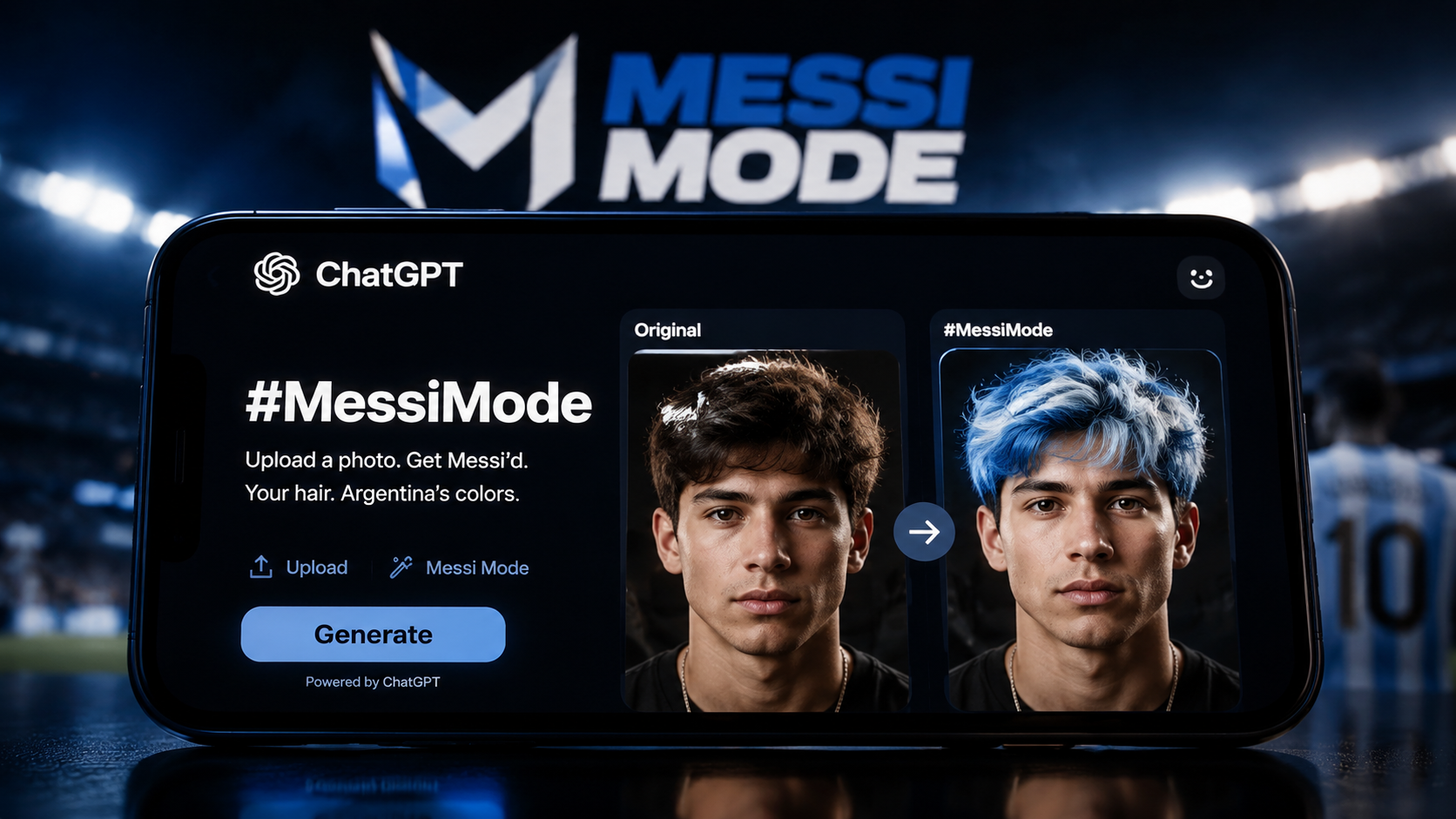
A single ChatGPT AI image prompt from Lionel Messi is about to take over social media — and it only took a few hours. Ahead of the FIFA World Cup 2026 kickoff, OpenAI launched #MessiMode, a viral trend that lets anyone transform their photo with a flag-colored AI hairstyle. Messi himself shared a voice prompt on X that turned his hair the blue-and-white of the Argentine flag, and the internet lost its mind. The ChatGPT AI image prompt behind it is one line. The results are everywhere. Here's the exact prompt and how to recreate it with AI image generator tools like those on Fanch AI. Whether you're looking for a quick ChatGPT AI image prompt tutorial or a way to celebrate World Cup spirit, this one-line prompt delivers.
1. What Is the #MessiMode ChatGPT AI Image Prompt?
#MessiMode is a ChatGPT photo trend that turns your hair into the colors of any country's flag — while keeping it looking natural. Messi kicked it off by asking ChatGPT to color his hair Argentina blue and white. The result looked like a real photo, just with flag-colored hair, and it was shared by ChatGPT's official account. Within hours, football fans worldwide started posting their own versions, guessing each other's nationalities by hair color alone. The trend has already racked up over 1.6 million views on X. The reason this ChatGPT AI image prompt spread so fast is that it combines a simple mechanic — flag-colored hair — with a massive celebrity endorsement from one of the most-followed athletes on the planet.
The core ChatGPT AI image prompt is brutally simple:
Make my hair the colours of my country flag, but keep it natural-looking. If no country or image is provided, ask.
That's it. One sentence. Upload a clear photo, hit enter, and watch an AI image generator rewrite your hair in seconds. The reason this ChatGPT AI image prompt went viral isn't complexity — it's accessibility. Anyone with a photo and a few seconds can participate, and the flag-color twist adds a personal, patriotic hook that people want to share. Unlike the complicated ChatGPT AI image prompt prompts from the caricature or younger-self trends, the #MessiMode prompt is so simple that even someone who's never used an AI image generator before can nail it on the first try. In fact, the short length of this ChatGPT AI image prompt is exactly what makes it so shareable — you can type it from memory.
2. How to Try the MessiMode ChatGPT AI Image Prompt
Here's the step-by-step process Messi used to start the trend:
- Open ChatGPT (or any AI image generator that supports image input, like Fanch AI's GPT Image 2 model).
- Upload a clear, well-lit photo of yourself — face-forward works best.
- Enter the ChatGPT AI image prompt: "Make my hair the colours of my country flag, but keep it natural-looking. If no country or image is provided, ask." This is the exact same ChatGPT AI image prompt that Messi used to kick off the viral trend.
- Mention your country if it's not obvious from the photo.
- Let the AI generate the edited image.
- Share the result on X, Instagram, or TikTok with #MessiMode.
The key to a good result is a clean, well-lit source photo with your face clearly visible. The more natural your original photo looks, the more believable the flag-colored hair will appear in the output. Remember: the same ChatGPT AI image prompt works with ChatGPT, Gemini, and any other AI image generator that accepts photo inputs, so you're not locked into a single platform to try this viral AI trend.
3. Try These 3 Flag Color Variations
The beauty of this ChatGPT AI image prompt is that you can apply it to any country flag. Here are three remix variations to try:
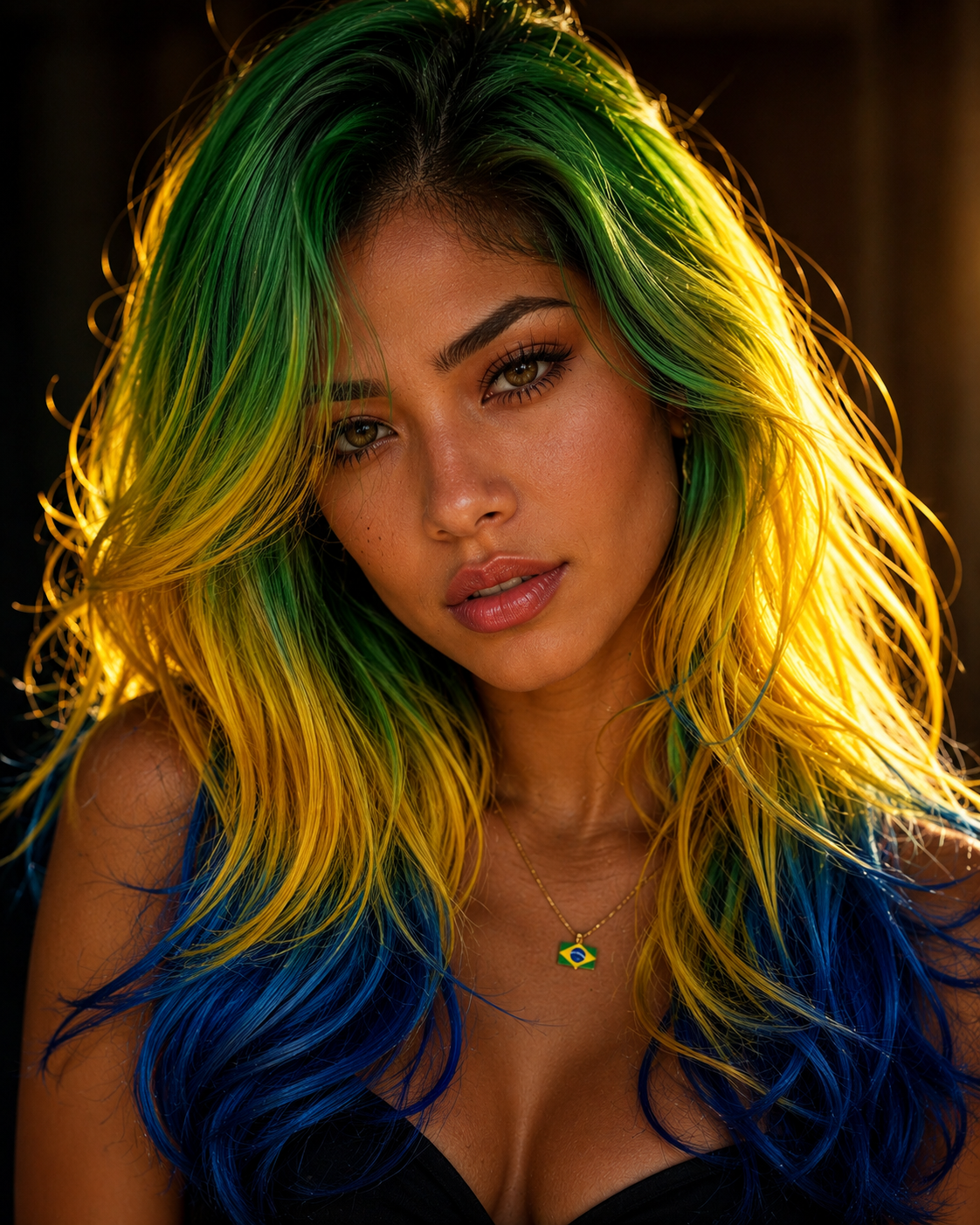
Brazil — Green, Yellow & Blue
Make my hair the colours of my country flag (Brazil — green, yellow and blue), but keep it natural-looking. Blend the shades organically like a professional hair-coloring style.
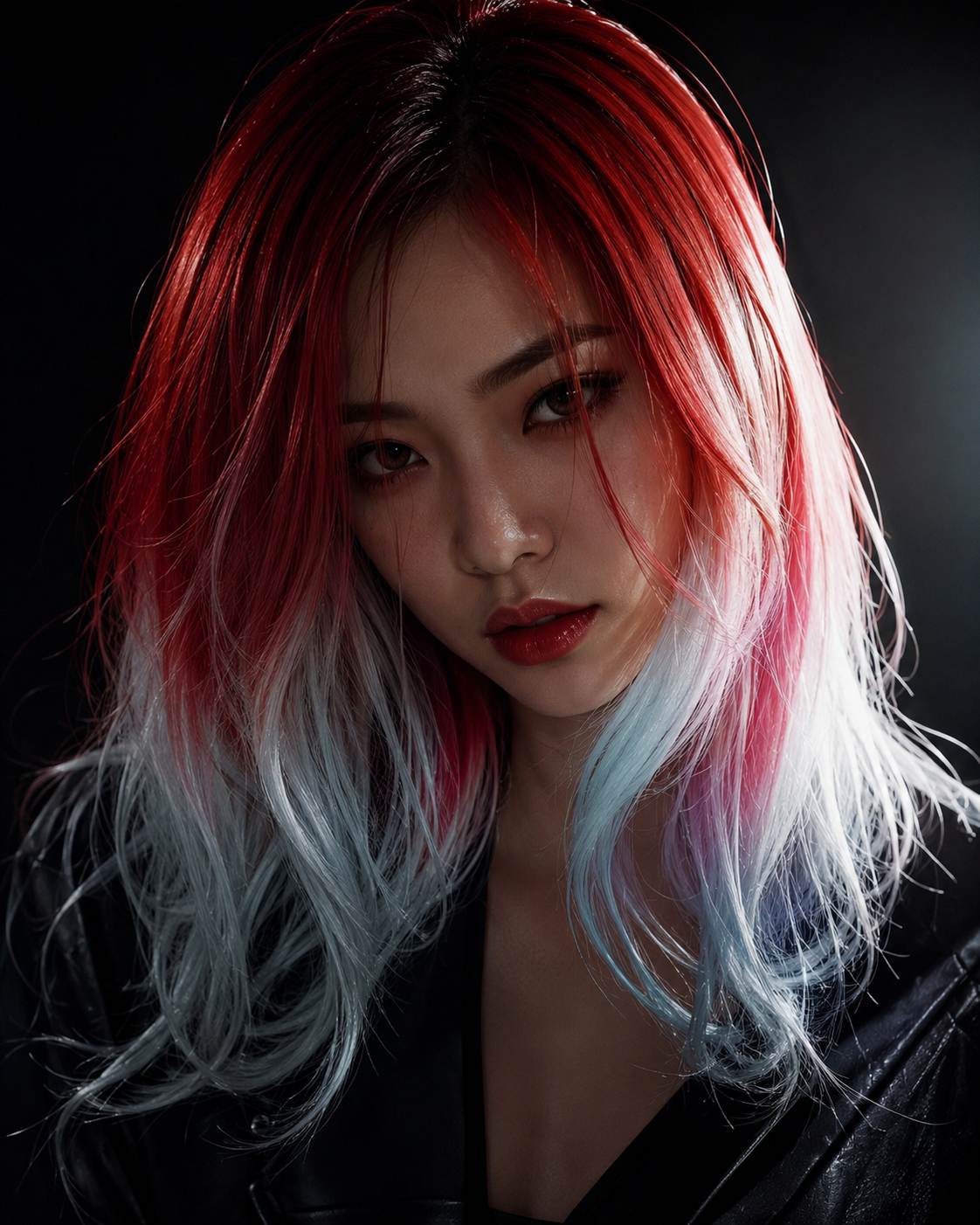
Japan — Red & White
Make my hair the colours of my country flag (Japan — red and white), but keep it natural-looking. Use a gradient or ombre effect with deep crimson fading into white, like a high-fashion editorial look.
India — Saffron, White & Green
Make my colours of my country flag (India — saffron, white and green), but keep it natural-looking. Create a tricolor gradient effect with warm saffron at the roots, white in the middle, and green at the tips, styled like a modern fashion look. This variation proves the ChatGPT AI image prompt can handle complex multi-color flags without any color bleeding between sections.
Each variation swaps just the flag colors and adds a brief styling direction, but keeps the same underlying ChatGPT AI image prompt structure. That's the remix technique: same skeleton, different aesthetic outcome. You can also add country names directly in your original prompt instead of uploading a photo — ChatGPT will ask which country you mean, making it even easier to try the ChatGPT AI image prompt on the fly. The beauty of this approach is that you never need to learn a new interface; a single ChatGPT AI image prompt text line is all you need.
4. Why Fanch AI's AI Image Generator Is Better for This Trend
The Messi #MessiMode trend proves that a great ChatGPT AI image prompt is only as good as the AI image generator executing it. Flag-colored hair looks artificial fast on low-quality models — the colors bleed into the face, the skin tone shifts unnaturally, and the result looks like a cartoon instead of a photo. Fanch AI's GPT Image 2 model handles this ChatGPT AI image prompt cleanly: flag colors integrate into the hair naturally, facial features stay accurate, and the overall look stays photorealistic.
Fanch AI also lets you run the same prompt across multiple models side by side — GPT Image 2, Nano Banana, and others — so you can compare results and pick the one that best interprets your ChatGPT AI image prompt. For a trend like #MessiMode where color accuracy matters, that flexibility makes a real difference. You can also paste the same ChatGPT AI image prompt into Fanch AI's prompt library and instantly see how different models render the flag colors, which is invaluable for finding the perfect look.
👉 Start here: Fanch AI AI Image Generator
5. Tips for the Best Flag Hair Results with ChatGPT AI Image Prompt
- Use a well-lit photo with visible hair. Dark, shadowy, or low-res photos make flag colors look muddy instead of vibrant. A good source photo ensures the ChatGPT AI image prompt produces the cleanest possible output.
- Specify the flag colors explicitly. The base prompt asks for your country, but adding the actual colors (e.g., "green, yellow and blue") in a follow-up ChatGPT AI image prompt gives more accurate results.
- Add a styling direction. Words like "ombre," "gradient," "root dye," or "high-fashion editorial" guide the AI image generator toward better-looking results.
- Try it on multiple models. Run the same ChatGPT AI image prompt on Fanch AI with different models and pick the version where the flag colors look most natural. You can also save your best result to compare with future ChatGPT AI image prompt experiments.
- Use it for more than World Cup. This ChatGPT AI image prompt works for any occasion — national holidays, fan events, team spirit days, or just because. The simplicity of the ChatGPT AI image prompt means it never goes out of style.
👉 Click here to open the Fanch AI Studio and try the #MessiMode ChatGPT AI image prompt now