
Adobe AI Assistant: Photoshop, Premiere and Every Creative Cloud App Now Has an AI Copilot
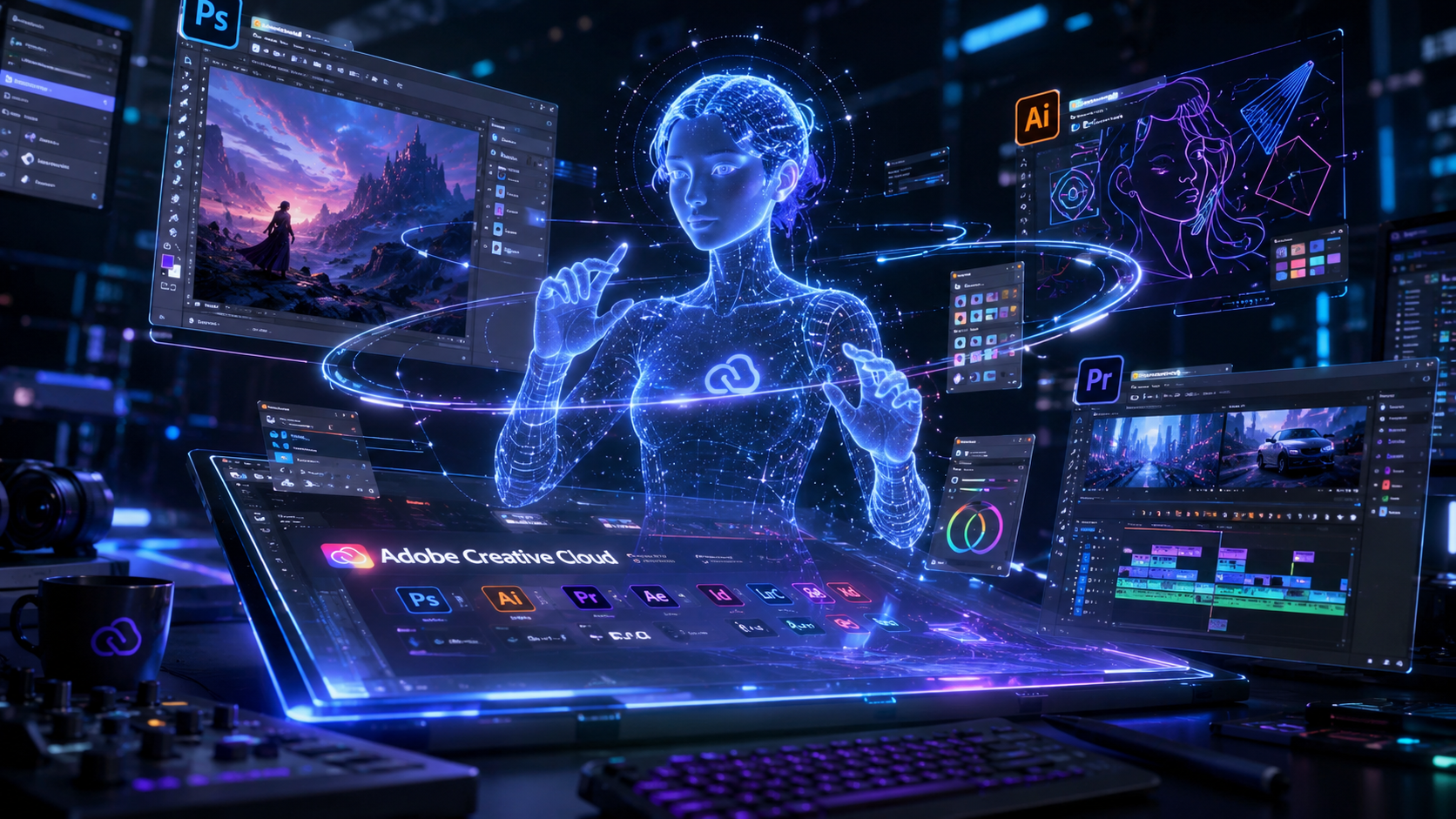
Adobe just made its biggest AI move yet. On June 18, 2026, Adobe launched dedicated AI assistants for Photoshop, Premiere Pro, Illustrator, InDesign, and Frame.io as part of a public beta. Each app now has its own specialized Adobe AI assistant — a chatbot-like copilot that understands the app's specific tools and workflows. This is not a one-size-fits-all chatbot. Every Adobe AI assistant is fine-tuned for its app. The Premiere Adobe AI assistant knows video timelines. The Photoshop Adobe AI assistant knows layers and masks. And across all of them, the Adobe AI assistant lets you edit your projects with natural language prompts instead of hunting through menus.
1. What Is the New Adobe AI Assistant for Creative Cloud?
The Adobe AI assistant is a conversational agent built into each Creative Cloud app. Powered by Adobe's "conversational creative agent" technology, each Adobe AI assistant operates as a specialist within its app. You describe what you want in plain English, and the Adobe AI assistant handles the technical execution. Want to reorganize 50 layers in Photoshop? Just tell the Adobe AI assistant. Need to rename 100 video clips based on what's in the footage? The Premiere Adobe AI assistant does it in seconds. The Adobe AI assistant represents a fundamental shift in how creatives interact with Adobe software — from manual tool operation to intent-based creation. Every Adobe AI assistant is accessible through a side panel interface, similar to the assistants already available in Adobe Express, Acrobat, and Firefly. The Adobe AI assistant rollout is Adobe's bet that the future of creative software is conversational. And based on what these Adobe AI assistant tools can do, that bet looks smart.
2. Photoshop AI Assistant — Describe, Edit, Done
The Photoshop Adobe AI assistant is the most anticipated release in this update. You can describe your desired outcome in natural language, and the Adobe AI assistant translates that into specific Photoshop operations. The Photoshop Adobe AI assistant can organize your layers, switch backgrounds, resize assets for different platforms, and apply complex photo editing effects. This desktop Adobe AI assistant expansion follows Adobe launching an Adobe AI assistant for its web and mobile versions of Photoshop earlier this year. What makes the Photoshop Adobe AI assistant special is its deep understanding of the app's toolset. The Adobe AI assistant knows exactly which tool to use for each task. Need to remove an object from a photo? The Adobe AI assistant applies the right combination of content-aware fill and cloning. Want to adjust colors across a batch of images? The Adobe AI assistant handles the batch processing automatically. For photographers and designers, the Photoshop Adobe AI assistant turns hours of manual editing into minutes of conversational prompting.
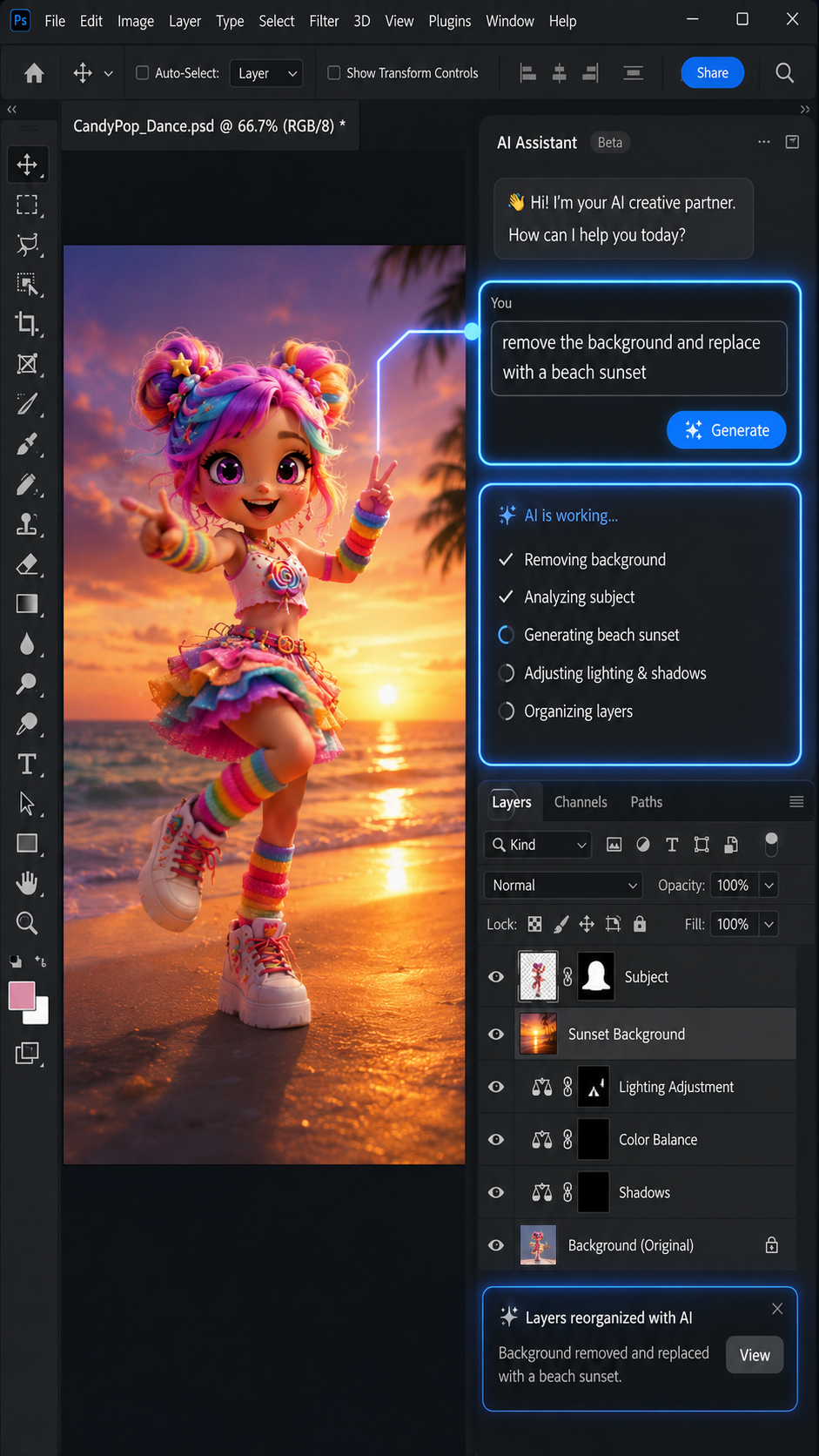
The Photoshop AI assistant side panel lets you describe edits in natural language — no more hunting through menus.
3. Premiere Pro AI Assistant — Smart Video Editing
Video editors get their own dedicated Adobe AI assistant inside Premiere Pro. The Premiere Adobe AI assistant can sort assets into bins based on content, rename batches of clips by analyzing what's happening in the footage, and identify specific questions or keywords in recorded speech. The Premiere Adobe AI assistant adds markers to your project timeline automatically based on spoken content detection. It can even lay out a working starting point for your video — essentially, the Adobe AI assistant handles the tedious setup work so you can focus on creative decisions. Adobe says the Premiere Adobe AI assistant can handle anything you do in the Project panel or Timeline. For YouTubers, video marketers, and content creators, the Premiere Adobe AI assistant is a massive time-saver. Combined with AI-powered features like text-based editing and auto-reframe, the Adobe AI assistant makes Premiere one of the most AI-capable video editors on the market.
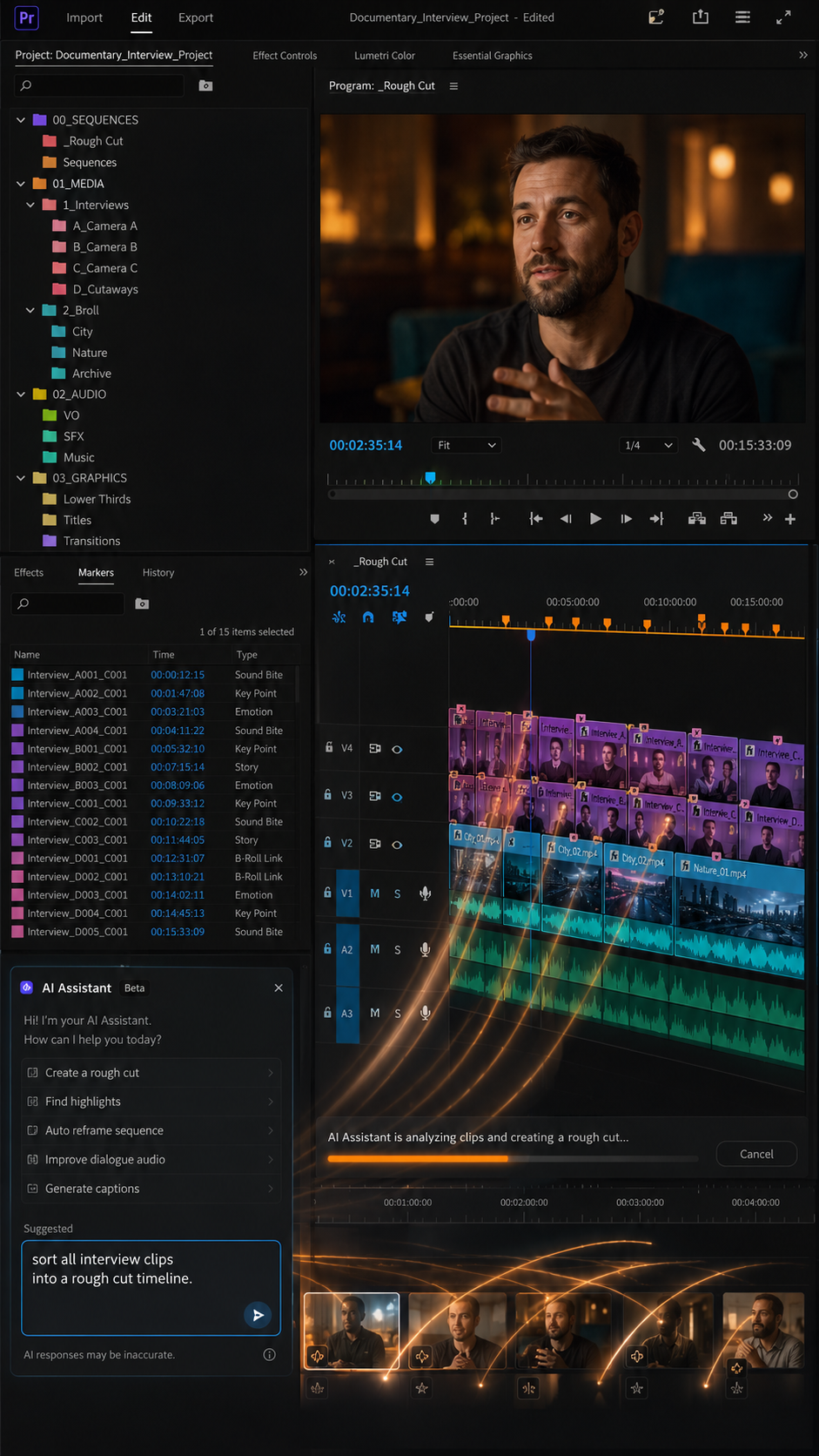
The Premiere Pro AI assistant auto-organizes your timeline and bins — the setup work is done for you.
4. Illustrator, InDesign, and Frame.io AI Assistants
The Adobe AI assistant rollout extends beyond photo and video. Illustrator's Adobe AI assistant supports multi-step production jobs — flagging color mode errors, detecting missing fonts, reorganizing layers, and generating multiple versions of design files from a spreadsheet or document. The Illustrator Adobe AI assistant is built for scale. InDesign's Adobe AI assistant applies print-readiness checks and can update copy and styling across every page layout when you upload a new PDF or open an existing template. For publishers and layout designers, this Adobe AI assistant eliminates the most tedious parts of print production. Frame.io's Adobe AI assistant surfaces revision feedback, organizes shoot assets, generates B-roll footage, and helps with creative direction. Every Adobe AI assistant is specialized for its app's unique demands, but they all share the same conversational interface. This consistent Adobe AI assistant experience across the entire Creative Cloud suite means once you learn one Adobe AI assistant, you know how to use them all.
5. Firefly AI Studio Gets a Major Overhaul
Alongside the app-specific Adobe AI assistant launches, Adobe redesigned its Firefly AI Studio with two game-changing features. The new Firefly Adobe AI assistant now supports "Elements" — persistent characters, locations, and objects that you can save and reuse across projects. Instead of typing out prompt descriptions every time, the Adobe AI assistant remembers your created assets. You name a character "Charlie" once, and the Adobe AI assistant can generate scenes in "Charlie's bedroom" without losing visual consistency. The second feature is "Projects," which houses your Adobe AI assistant generations, assets, and creative context together. The Adobe AI assistant can now generate brand kits including logos and color palettes from a description of your company. There are new video capabilities too — the Firefly Adobe AI assistant offers Quick Cut for assembling clips into a first draft, generates storyboards from text descriptions, and transforms images into short-form video. The Adobe AI assistant in Firefly is designed as a "co-working partner" that handles the tedious parts of design while leaving creative control in your hands.
6. What This Means for Creators and AI Image Generation
The Adobe AI assistant launch changes the landscape for AI image generation and creative tools. Adobe is positioning the Adobe AI assistant as an augmentation tool — it doesn't replace the creator, it automates the grunt work. Every Adobe AI assistant gives you a starting point that you can refine manually. The Adobe AI assistant handles the repetitive setup, and you handle the creative decisions. For creators who want the best of both worlds — powerful AI image generation without losing creative control — the Adobe AI assistant ecosystem is compelling. But you don't need a Creative Cloud subscription to access cutting-edge AI image generation. If you want to generate stunning AI images and videos with simple prompts, Fanch AI offers GPT Image 2-powered image generation and Seedance 2.0-powered video generation with a clean, intuitive interface. No subscription required, no learning curve — just describe what you want and let the AI image generator handle the rest.
7. How to Access the New Adobe AI Assistant
The Adobe AI assistant for Photoshop, Premiere Pro, Illustrator, InDesign, and Frame.io is available now as a public beta. Creative Cloud subscribers can access each Adobe AI assistant through the side panel in their respective apps. The Firefly Adobe AI assistant with Elements and Projects is available in private beta. Adobe hasn't announced when the Adobe AI assistant will exit beta, but the company has been rapidly expanding its AI capabilities across the Creative Cloud ecosystem since September 2023. If you're a Creative Cloud subscriber, open your app of choice and look for the Adobe AI assistant panel — it's ready to help you work faster. For everyone else, Fanch AI is the easiest way to start creating with AI today.
👉 Start creating now: Fanch AI Image Generator