
1970s AI Photo Trend: Turn Your Selfie Into a 70s Portrait
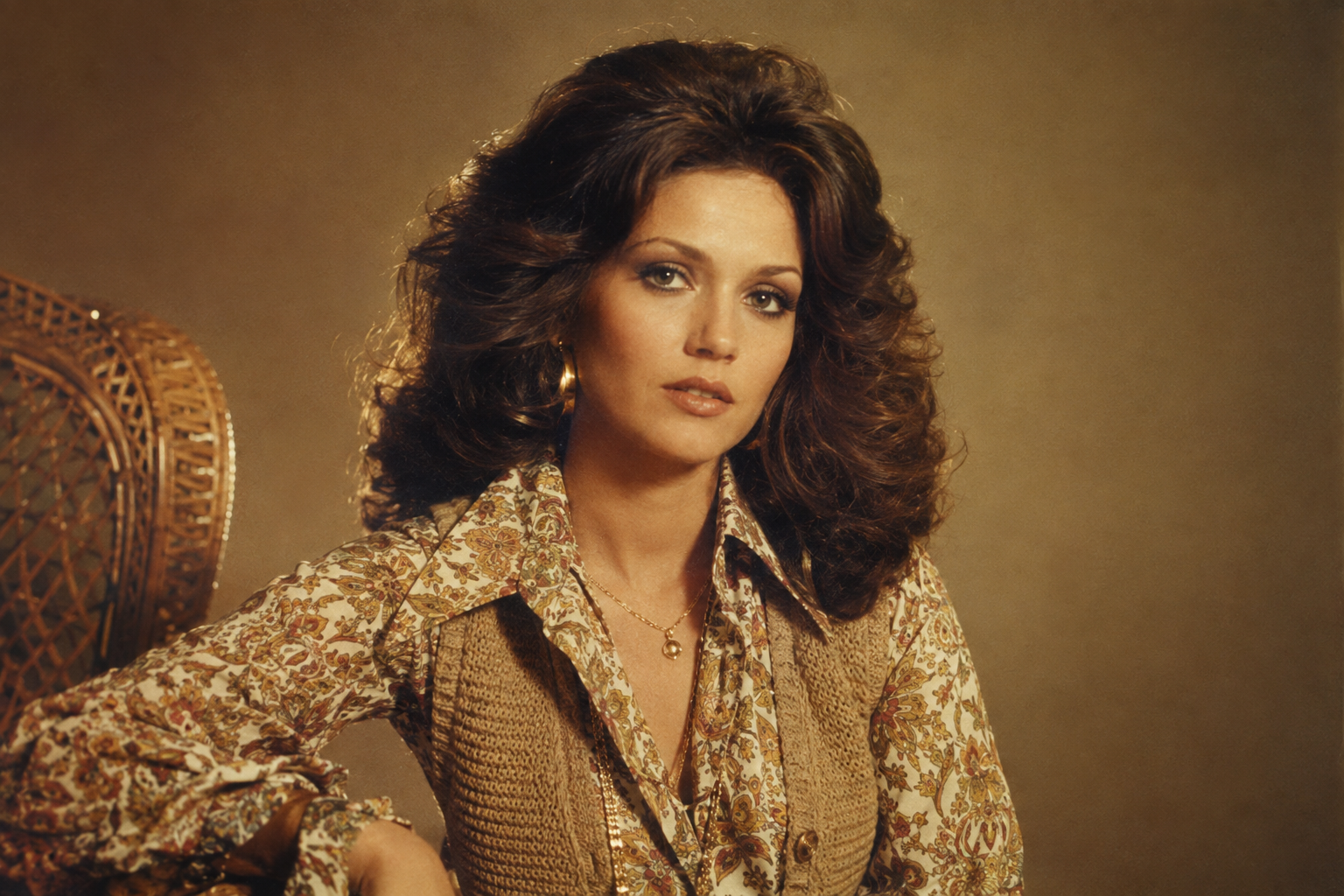
The retro-photo wave keeps moving backwards. After the 1980s and 1990s takeovers, the 70s portrait is now the decade everyone wants to visit — warm amber tones, big hair, wood-panelled living rooms, and disco lights. And it all starts from one modern selfie. Once you see a good 70s portrait, the appeal is obvious.
The formula is the same one that made the earlier trends explode: keep the face, rebuild the decade. Here's how the 70s portrait look works, and how to create your own 70s portrait on Fanch AI.
Why the 70s Portrait Trend Works
The 70s portrait has a texture the other decades can't match — it feels like a real memory rather than a costume.
- Your identity stays intact — a good 70s portrait keeps your real facial features and natural skin tone unchanged.
- Warm, faded color — amber and mustard tones plus film grain make a 70s portrait instantly nostalgic.
- Everyday realism — wood panelling, patterned sofas, and vinyl records ground a 70s portrait in a real home.
- Endless variations — the same prompt structure covers disco, family album, and festival scenes, so one 70s portrait template makes a whole set.
The result feels like a genuine photograph from the 1970s rather than a modern image with a sepia filter on top. That authenticity is why the 70s portrait resonates so strongly.
The Ultimate 70s Portrait Prompt
This is the core prompt for a classic 70s portrait. It's the one to master, because every other 70s portrait variation builds on it. Copy it into Fanch AI, upload your photo, and the model handles the rest.
Copy & Paste this into Fanch AI (Model: gpt_image_2):
Transform the uploaded photo into a realistic 1970s fashion portrait. Keep the person's facial features, identity, and natural skin tone completely unchanged. Style them in authentic 1970s clothing — a wide-collar shirt or a patterned blouse with a knit vest — together with era-accurate hair and accessories. Add warm amber tones, visible analogue film grain, slightly faded colors, and the soft texture of a photograph shot on a 1970s film camera.
The magic of a 70s portrait is that warm, imperfect film look — a real, modern face inside a beautifully aged photograph. That's what makes the trend feel personal instead of generic.
More 70s Portrait Variations
Once you have the studio look, swap the scene to build a whole set. Each keeps the same "preserve the face" approach, so one 70s portrait prompt becomes an entire album. The base 70s portrait is just the beginning.
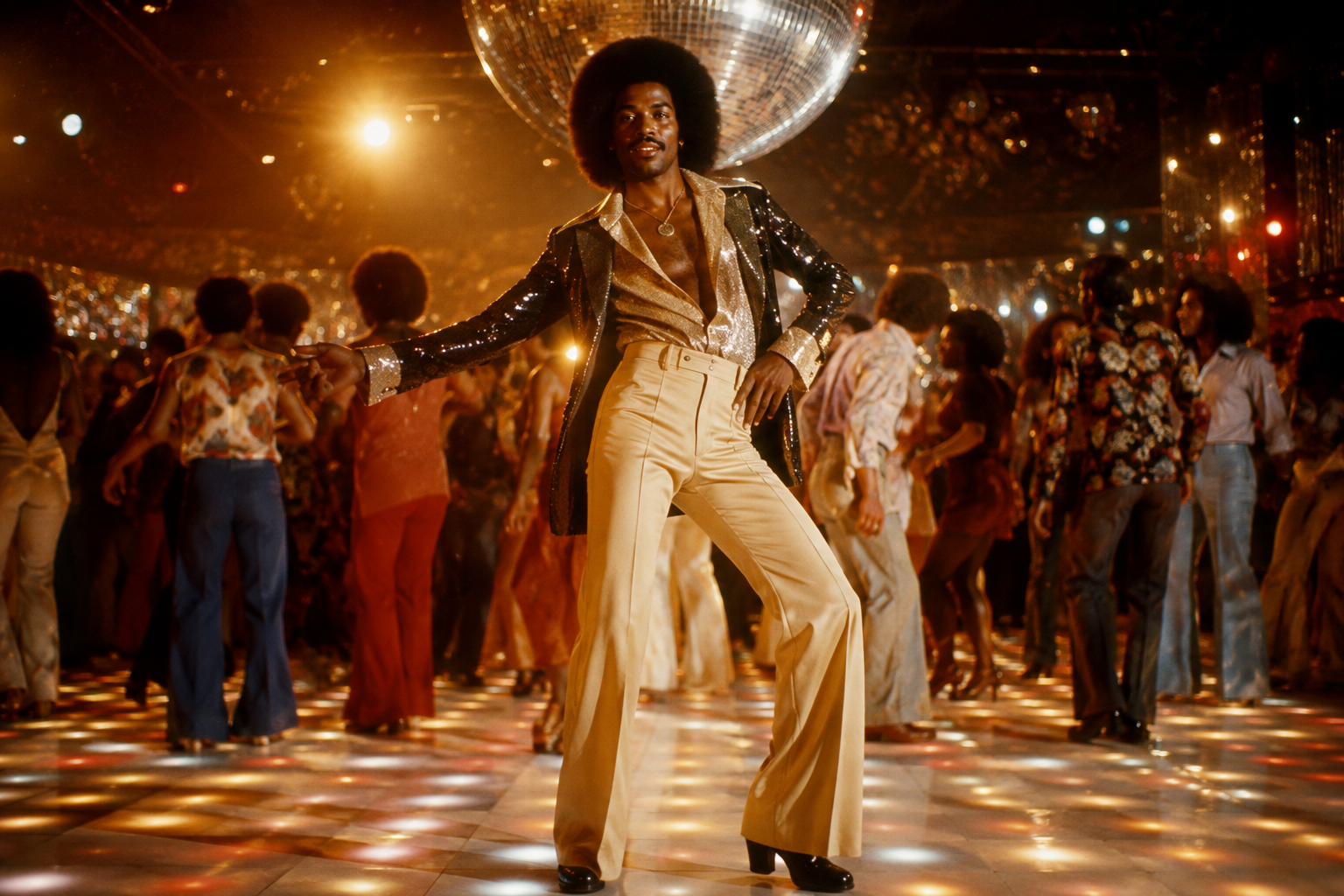
Copy & Paste this into Fanch AI (Model: gpt_image_2):
Recreate the uploaded photo as a glamorous 1970s disco portrait. Preserve the subject's real face and skin tone. Dress them in shimmering disco fashion with flared trousers and bold collars, styled with big voluminous hair and a confident pose. Place them on a glowing dance floor beneath a glitter ball, with warm golden and orange lighting, rich saturated retro colors, cinematic contrast, subtle sparkle, and analogue film grain.
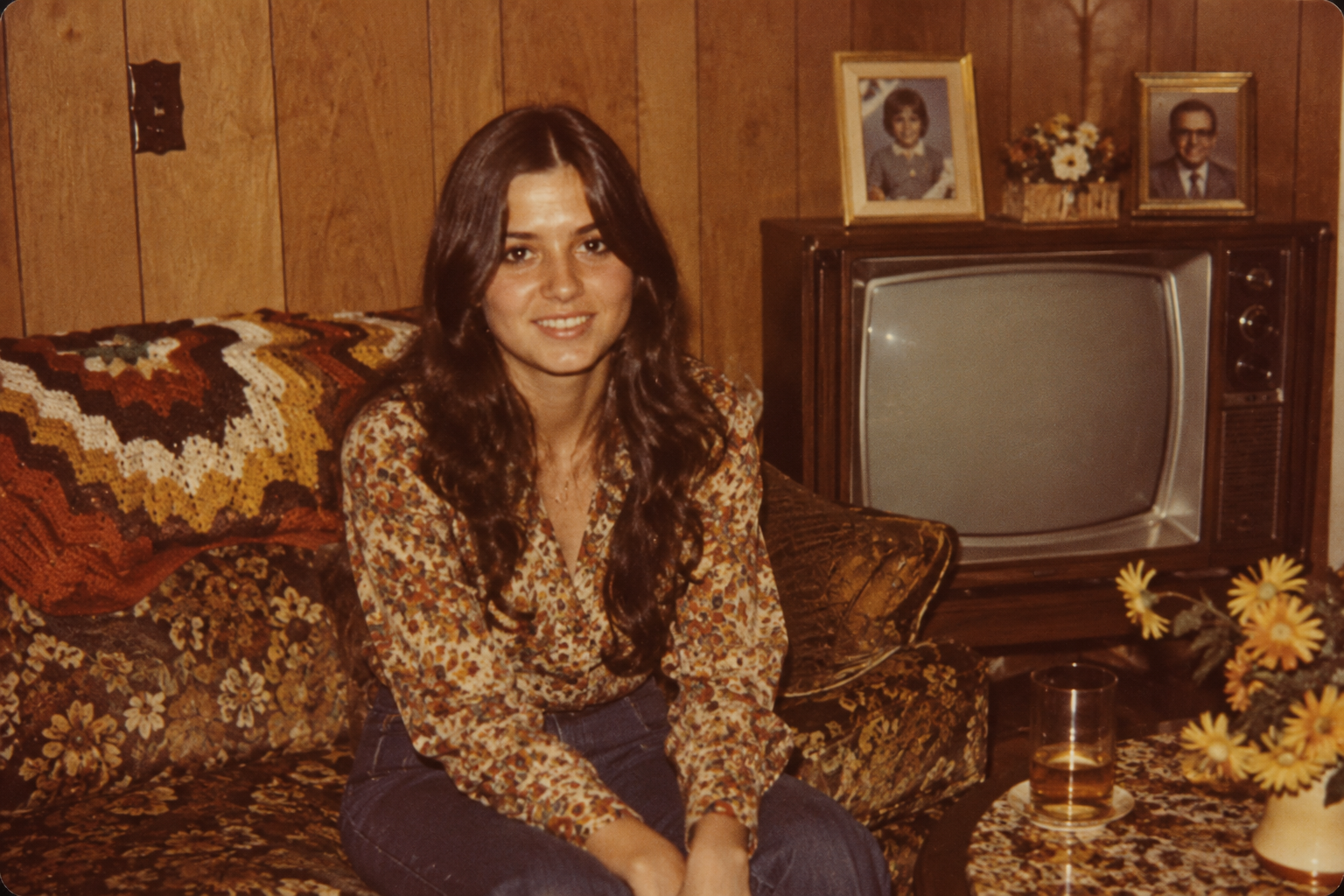
Copy & Paste this into Fanch AI (Model: gpt_image_2):
Turn the uploaded photo into a genuine-looking 1970s family snapshot taken at home. Keep the subject's face and identity recognizable. Add authentic 1970s interior details — wood-panelled walls, a patterned sofa, an old television set, and crochet throws — with warm tungsten lighting, muted earthy colors, and realistic vintage film grain, as if the print had sat in a family album for fifty years.
Copy & Paste this into Fanch AI (Model: gpt_image_2):
Recreate the uploaded photo as a carefree early-1970s outdoor festival scene. Preserve the subject's facial features and natural skin tone. Style them with long loose hair, tinted round sunglasses, a fringed suede jacket, and flared jeans. Use hazy golden-hour sunlight, a dusty field backdrop, faded warm colors, and heavy analogue grain for an authentic 1970s film-photography feel.
Copy & Paste this into Fanch AI (Model: gpt_image_2):
Turn the uploaded photo into the cover of a fictional 1970s vinyl record. Keep the subject's real features and skin tone. Add a bold psychedelic color palette, retro geometric typography, airbrushed highlights, and the slight wear of vintage printed cardboard packaging, with visible print texture and a grainy film finish.
Quick Tips for a Better 70s Portrait
A few small choices make your 70s portrait look like a real photograph:
- Start with a sharp, front-facing selfie in even light so the model has a clear face.
- Keep the "preserve the face and skin tone" line in every 70s portrait prompt so your identity never drifts.
- Name the film qualities you want — "analogue film grain," "slightly faded colors," "warm amber tones."
- Pick one clear setting per image; a single strong 70s portrait scene reads better than five mixed ones.
- Generate two or three takes and keep your favorite 70s portrait — one studio shot, one lived-in family scene.
- Add a small prop like a vinyl record or tinted glasses to sell the 70s portrait look.
- Only transform photos you have the right to use, and never edit other people without consent.
Why Fanch AI Is Best for Your 70s Portrait
Fanch AI runs a dedicated image model that follows prompt detail closely, so the wardrobe, the lighting, and the film grain all land while your 70s portrait still looks like you. There's no studio booking and no learning curve — you upload a selfie, paste a prompt, and get a finished 70s portrait ready to post. That's why so many creators make their 70s portrait on Fanch AI.
👉 Start here: GPT Image 2 on Fanch AI — create your own 70s portrait now.