
80s AI Photo Trend: Turn Your Selfie Into an 80s Portrait
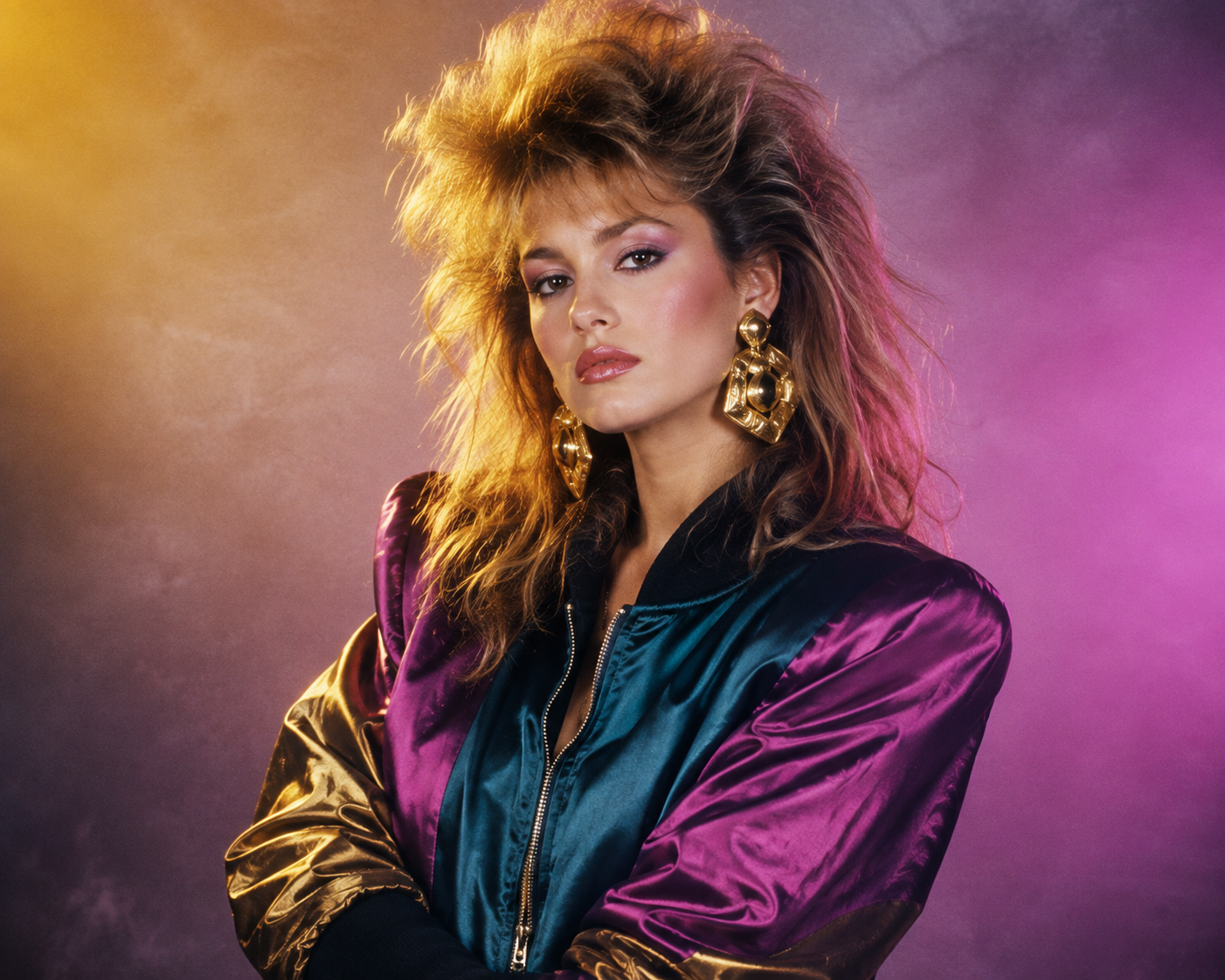
Open Instagram this week and the feed has quietly decided it's 1986. Big hair, neon lighting, and grainy film stock are everywhere — and it's all built from a single selfie. The 80s portrait trend has become the internet's favorite makeover, and the formula is simple: keep the face, rebuild the decade around it. Once you see one good 80s portrait, you understand the appeal instantly.
The best part is that you don't need a studio, a photographer, or a costume. With the right prompt, you can create a convincing 80s portrait in under a minute. Here's exactly how the trend works and how to make your own 80s portrait on Fanch AI. Anyone can make a standout 80s portrait with just a selfie.
Why the 80s Portrait Trend Works
The 80s portrait format spread so fast because it fixes the one thing AI portraits usually get wrong — your face.
- Your identity stays intact — every good 80s portrait keeps your real facial features and natural skin tone unchanged.
- The whole scene is rebuilt — hair, wardrobe, lighting, background, and film grain all get swapped for period-accurate detail.
- It's instantly recognizable — a soft-focus 80s portrait with feathered hair reads as nostalgic at a glance.
- The "Add Yours" loop — Instagram's sticker made sharing an 80s portrait a group activity, which is why it exploded.
The result is a photo that feels like a genuine 1986 studio session rather than a modern image with a retro filter on top. That's the promise of a great 80s portrait.
The Ultimate 80s Portrait Prompt
This is the core prompt for the classic studio-glamour 80s portrait. It's the one to master, because every other 80s portrait variation builds on it. Copy it into Fanch AI, upload your photo, and let the model handle the rest.
Copy & Paste this into Fanch AI (Model: gpt_image_2):
Reimagine the uploaded photo as an authentic 1980s studio portrait. Keep the person's real face, facial features, and natural skin tone completely unchanged. Rebuild everything else in period style: big feathered hair with volume at the crown, a bold satin bomber jacket with strong shoulders, chunky gold statement earrings, a hazy pastel-to-magenta gradient backdrop, warm rim lighting, a soft-focus glow, visible analogue film grain, and slightly muted colors — so it reads like a genuine photograph from 1986, not a contemporary image with a filter.
The magic of an 80s portrait is that contrast: a real, modern face sitting inside a beautifully staged 1980s scene. That's what makes the trend feel personal instead of generic.
More 80s Portrait Variations
Once you have the studio version, swap the setting to build a whole set. Each of these keeps the same "preserve the face" approach, so you can go from a single 80s portrait to a full retro album. The base 80s portrait prompt is just the starting point.
Copy & Paste this into Fanch AI (Model: gpt_image_2):
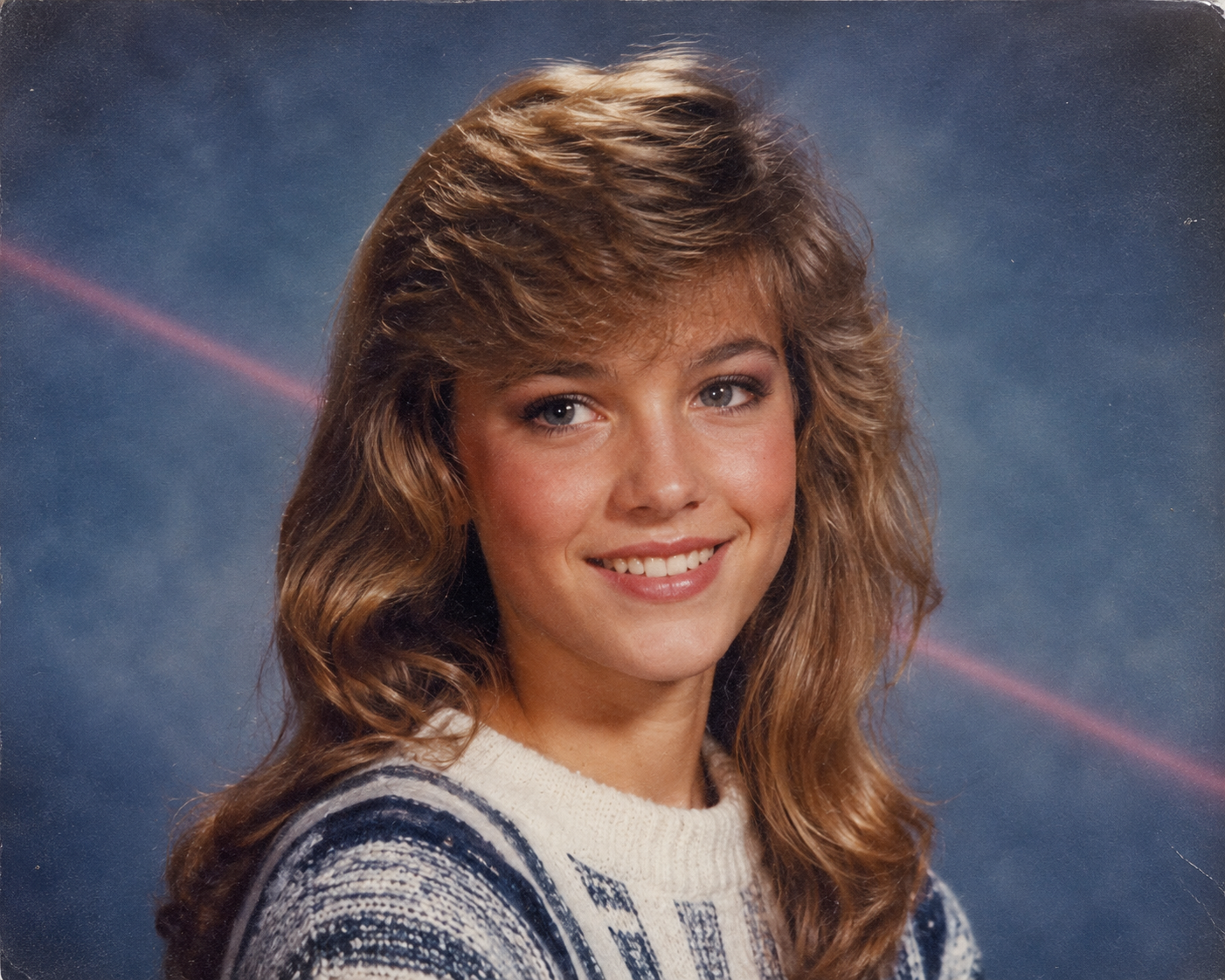
Transform the uploaded photo into a 1980s high-school yearbook portrait. Preserve the subject's exact facial features and skin tone. Give them softly feathered or side-swept hair, a striped knit sweater or collared shirt, and the classic mottled blue studio backdrop with a faint laser-beam streak. Apply gentle soft focus, light scanner texture, and gently faded colors, as though the page had been sitting in a family album for forty years.
Copy & Paste this into Fanch AI (Model: gpt_image_2):
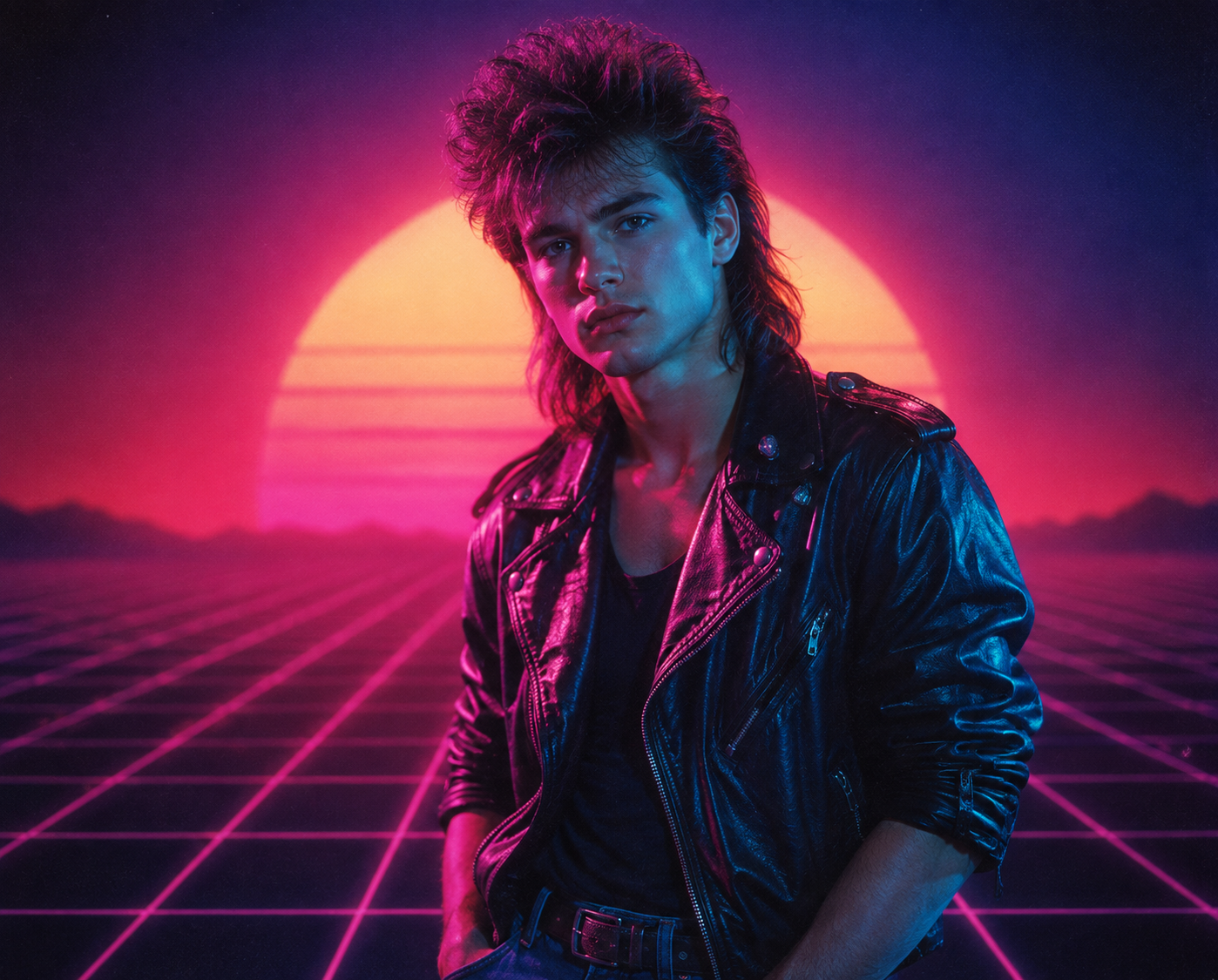
Recreate the uploaded photo as a moody 1980s synthwave portrait. Keep the person's recognizable features and skin tone intact. Add magenta and cyan neon lighting, a glowing retro grid or sunset horizon backdrop, dramatically styled big hair, and a black leather jacket with rolled sleeves. Use cinematic haze, strong contrast, visible film grain, and a soft neon glow — styled like a vintage synth album cover.
Copy & Paste this into Fanch AI (Model: gpt_image_2):
Turn the uploaded photo into a candid 1980s snapshot taken at a shopping-mall arcade. Keep the subject's face and natural skin tone unchanged. Give them permed voluminous hair, a bright windbreaker over a graphic tee, and rolled jeans with white sneakers. Surround them with glowing arcade cabinets, chrome railings, and neon signage. Warm flash-photo lighting, visible grain, and slightly washed-out color, like a real 1980s point-and-shoot print.
Copy & Paste this into Fanch AI (Model: gpt_image_2):
Reimagine the uploaded photo as a glamorous 1980s disco party portrait. Preserve the subject's real features and skin tone. Add glossy voluminous hair, a sequined or lamé outfit with bold shoulders, oversized hoop earrings, and a glittering dance-floor backdrop with mirrored disco balls and colored spotlights. Warm flash lighting, soft haze, rich film grain, and saturated retro color.
Quick Tips for a Better 80s Portrait
A few small choices make your 80s portrait look like a real photograph:
- Start with a sharp, front-facing selfie in even light — the model needs a clear face.
- Keep the "preserve the face and skin tone" line in every 80s portrait prompt so your identity never drifts.
- Name the film qualities you want: "analogue film grain," "faded colors," "soft focus."
- Trim the era details instead of piling them on — one clear setting (studio, yearbook, mall) beats five.
- Generate two or three takes and pick your favorite 80s portrait — one clean studio shot, one moodier scene.
- Only use photos you have the right to transform, and avoid images of other people without consent.
Why Fanch AI Is Best for Your 80s Portrait
Fanch AI runs a dedicated image model that follows prompt nuance closely — so the period details land, the grain looks real, and your 80s portrait still looks like you. There's no studio booking and no learning curve; you upload a selfie, paste a prompt, and get a finished 80s portrait ready for your feed. That's why so many creators make their 80s portrait on Fanch AI.
👉 Start here: GPT Image 2 on Fanch AI — create your own 80s portrait now.