
See the Difference: Static Fidelity vs. Dynamic Magic
In the fast-scrolling world of social media, static images often get ignored. To stop the scroll, you need motion. This demand has fueled the explosion of the AI image animator—a tool that magically transforms still photos into dynamic videos.
But here is the problem: most people try a free AI image animator and get blurry, warped results. Why? Because an animation is only as good as its source image. If you want to create professional-grade video loops, you need to understand how an AI image animator processes pixels.
Here is how to combine Fanch AI’s Flux 2 Pro engine with a professional AI image animator workflow to create stunning visuals.
Why Resolution Matters for an AI Image Animator
Simply put, an AI image animator is a generative tool that predicts "what happens next" in a picture. Whether you are using a specialized AI image animator for marketing or art, the software analyzes pixels—like flowing water or drifting clouds—to simulate movement.
The biggest mistake creators make is feeding low-quality JPEGs into an AI image animator. When the AI image animator tries to stretch and move low-res pixels, the result is "digital sludge." To get the best out of any AI image animator, you need a high-fidelity foundation like Flux 2 Pro.
See the Difference: Static Fidelity vs. Dynamic Magic
Why does the resolution of your source image matter so much for an AI image animator? The answer lies in the details.
Below are two examples generated with Fanch AI's Flux 2 Pro engine. First, look at the static base image. Then, see how that high-fidelity input allows the AI image animator to generate cinematic motion without blurring or distortion.
Case Study 1: The Cinematic Rain Effect
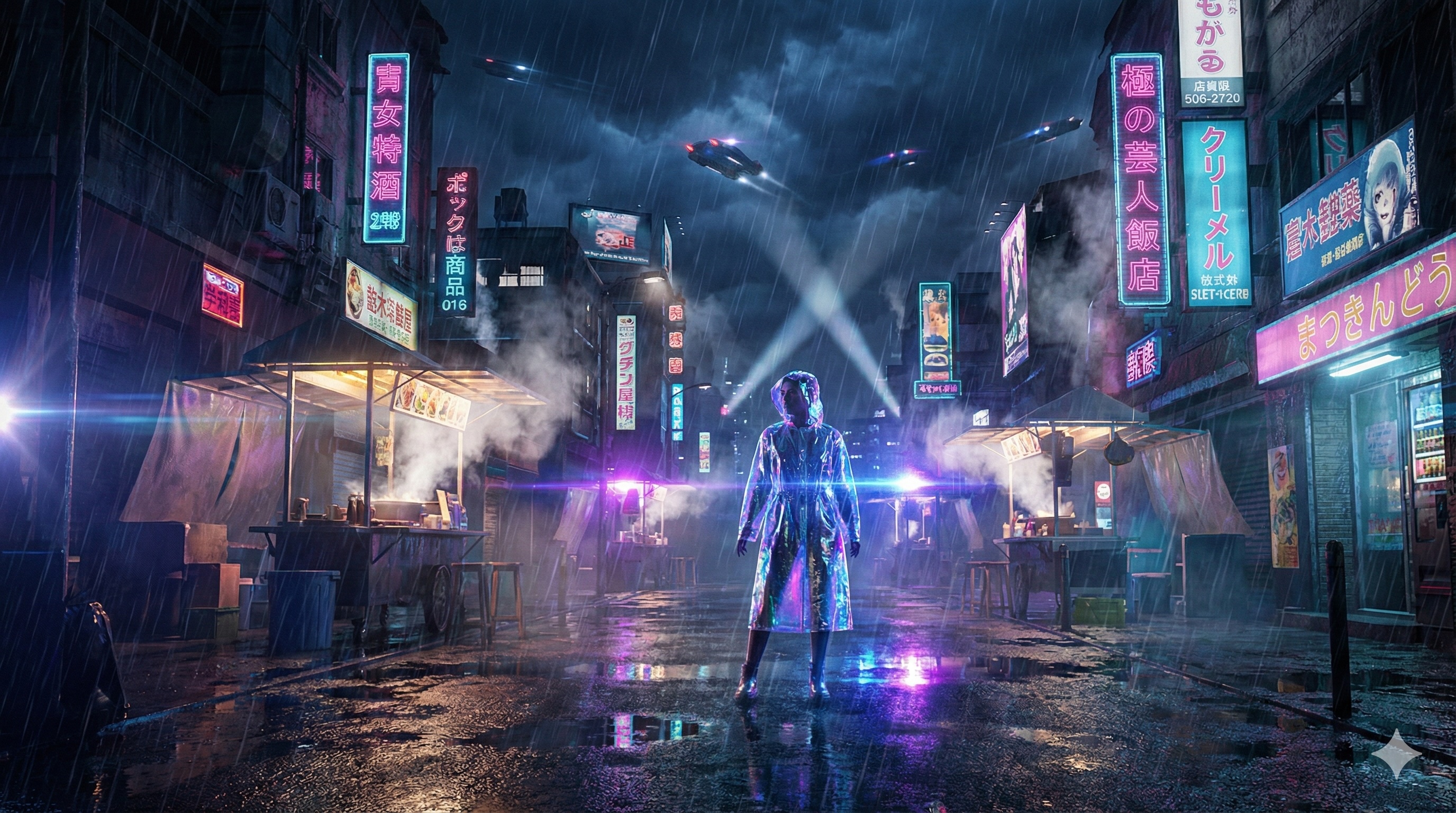
Cyberpunk scenes are notoriously difficult for an AI image animator due to complex neon lighting and wet surface reflections. A low-quality input usually results in "wobbly" buildings.
Because the Fanch AI base image is sharp (4MP), the AI image animator accurately identifies rain direction, creates realistic ripples on the ground, and maintains the structural integrity of the street.
Step 1: The High-Fidelity Base Image (Flux 2 Pro)
Step 2: The AI Image Animator Result
Prompt used for the AI image animator: "Heavy rain falling diagonally, neon signs flickering rhythmically, steam rising quickly from the street food stalls, reflections shimmering on the wet ground. Cinematic camera slow pan right."
Case Study 2: The Fantasy Portrait
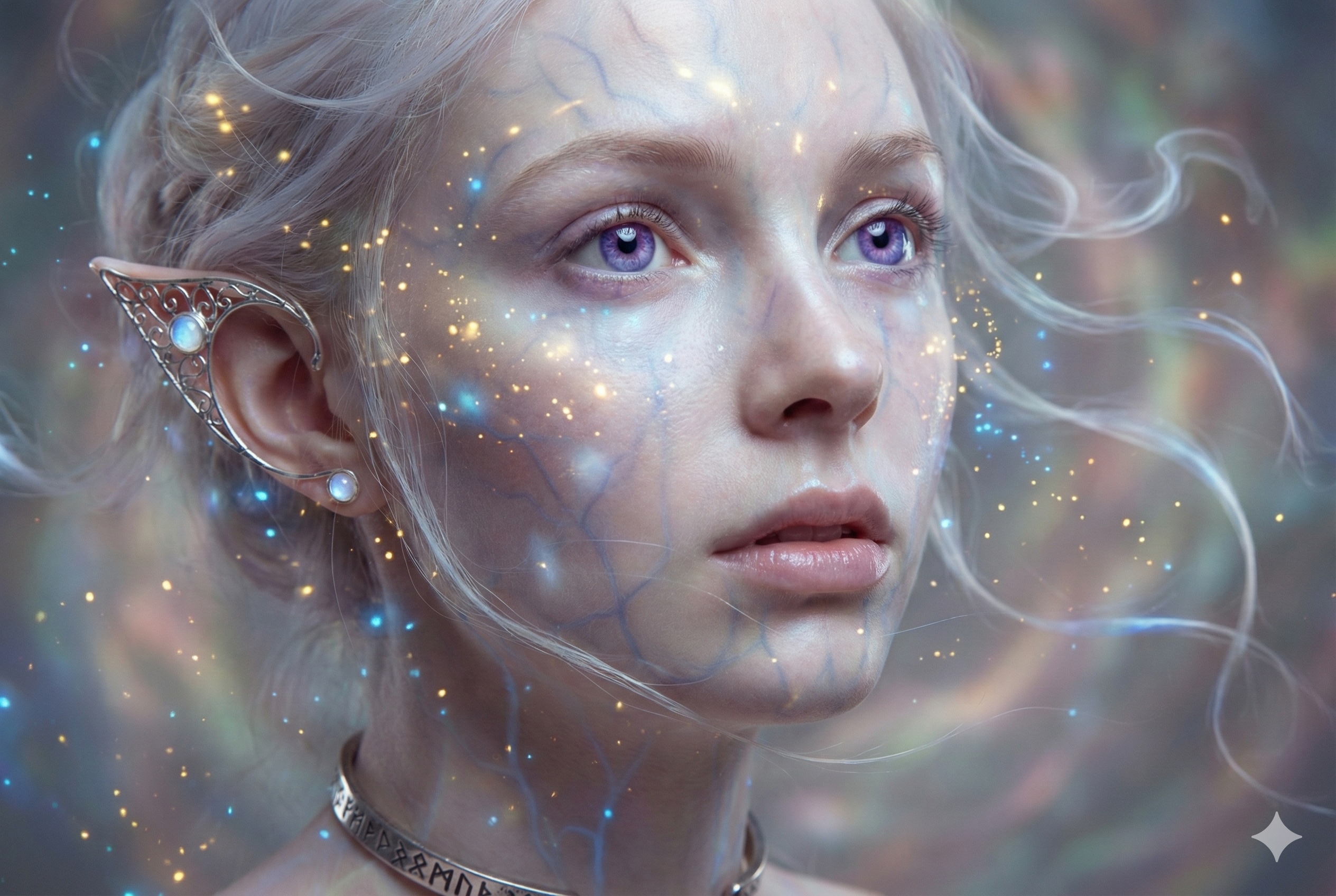
Hair strands and floating magic particles are the ultimate stress test for any AI image animator. Without a coherent source image, faces often "melt" and particles flicker out of existence when processed by an AI image animator.
With a Flux 2 Pro base, the AI image animator maintains perfect facial consistency (ID retention) while adding incredibly delicate motion to the elf's hair and the glowing particles, creating a seamless, dreamlike loop.
Step 1: The High-Fidelity Base Image (Flux 2 Pro)
Step 2: The AI Image Animator Result
Prompt used for the AI image animator: "The elf blinks slowly and gently smiles. Her hair and the glowing magic particles float dynamically as if under water or in a gentle breeze. Soft, dreamlike motion."
Ready to Animate Your Images?
Don't let your best AI art sit still. Whether you are a marketer or an artist, using a high-quality source image is the secret to mastering the AI image animator workflow.
Upload your Flux 2 Pro images and use our powerful AI image animator tools to bring them to life instantly.