
Unlocking the Viral Aesthetic: The Ultimate AI Image Creator Prompt Diamond Body Lion Walking Guide
If you have been scrolling through social media lately, you have likely seen the trend of "luxury animals"—creatures made of gold, glass, or diamonds. Among them, one specific concept is dominating search trends: the majestic diamond lion.
Creators everywhere are hunting for the perfect ai image creator prompt diamond body lion walking. Why? Because this specific combination of luxury texture ("diamond body") and dynamic movement ("lion walking") is a visual showstopper.
At Fanch AI, we don't just help you generate the image; we help you bring it to life with sound. Here is your complete guide to mastering this viral aesthetic.
Step 1: The Perfect AI Image Creator Prompt Diamond Body Lion Walking
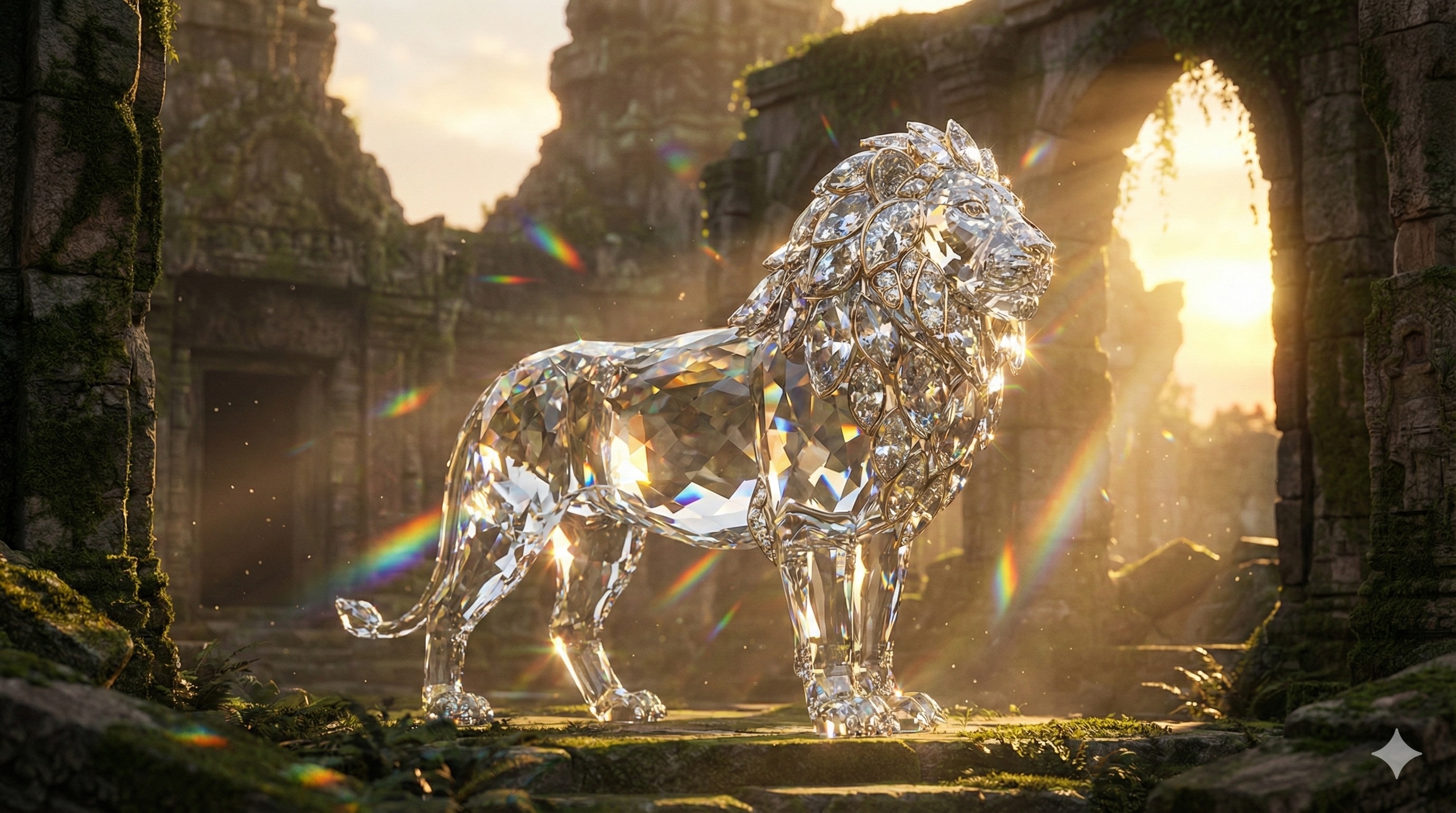
Generating a static image is the first step. To get that "expensive" look where light refracts through the crystal body, you need a specific prompt structure.
We tested this on Fanch AI using Midjourney V6 and Flux.1, and here is the winning formula for the best ai image creator prompt diamond body lion walking:
The Prompt: "A majestic lion with a body entirely crafted from shimmering, multifaceted diamonds and clear crystal. The diamond fur refracts sunlight into brilliant rainbow spectrums. It is standing confidently in a mystical, ancient temple ruin during golden hour sunset. Cinematic lighting, volumetric rays, photorealistic, incredibly detailed textures, octane render, 8k resolution, macro details of jewelry craftsmanship. --ar 16:9"
Why this works:
- Materiality: Keywords like "multifaceted" and "refracts" tell the AI how light should behave.
- Lighting: "Golden hour" contrasts beautifully with the cool tones of the diamond.
Step 2: Make it Move (Image-to-Video)
A static image is cool, but a video is viral. This is where Fanch AI shines.
Once you have generated your image using our ai image creator prompt diamond body lion walking, don't stop there. Use our Image-to-Video feature powered by the new Kling 2.6 model.
- Upload your Diamond Lion image to Fanch AI.
- Select Kling 2.6.
- Motion Prompt: "The diamond lion starts walking forward slowly. The light catches the moving crystal facets, creating dazzling sparkles."
Step 3: The "Wow" Factor – Adding Sound
Here is the secret sauce. A silent video of a diamond lion is okay. A video where you can hear the diamonds crunching? That is next level.
Unlike other tools, Fanch AI's Kling 2.6 integration allows you to generate AI video with sound in one go. You don't need external sound effects.
The Audio Prompt Strategy: To match the ai image creator prompt diamond body lion walking, you need sound that mimics physics.
Audio Prompt to use in Fanch AI: "Clear sounds of heavy, crystalline footsteps crunching on hard stone ground, resembling the sound of walking on thick broken glass or cracking ice. Accompanied by a continuous, high-pitched shimmering and tinkling chime sound, like thousands of small crystal pieces rubbing together."
When you hit generate, Fanch AI will sync these "glassy" footsteps perfectly with the lion's paws hitting the ground.
Bonus: For Game Developers
If you are a game dev, this asset is gold. You can take your generated image and use an ai image to sprite generator import image workflow. (Note: While Fanch AI focuses on high-fidelity video, our generated images are perfect base layers for sprite generation tools.)
Conclusion
The search for the best ai image creator prompt diamond body lion walking ends here. You don't need to be a prompt engineer to get professional results.
With Fanch AI, you get the best models ((Sora,Veo, Seedance, Kling)) all in one dashboard. Turn your diamond lion ideas into full sensory experiences today.
Ready to create? Try Fanch AI Now and test the Kling 2.6 audio features for yourself.