
Create Your Own Virtual Kpop Idol: From Realistic Photos to AI Fancams
The entertainment industry is shifting. From MAVE: to PLAVE, Virtual Idols are dominating the charts. Many creators are now asking: "How can I create my own Kpop AI group?"
You don't need a multi-million dollar agency like HYBE. You just need the right Kpop AI tools.
In this tutorial, we reveal the exact workflow to design a hyper-realistic Virtual Idol and generate a viral Kpop AI Fancam using Fanch AI.
Step 1: Kpop AI Visuals (Creating the "Face of the Group")
Every Virtual Idol group needs a visual center. To compete with real stars, your Kpop AI character must have flawless skin texture and trendy Korean makeup.
We used Flux 2 Pro (available on Fanch AI), which is currently the best Kpop AI generator for realistic portraits.
The Prompt for Kpop AI Face:
"A close-up beauty portrait of a virtual Kpop idol face. Flawless glowing skin, trendy Kpop makeup style (coral eyeshadow, gradient lips, subtle glitter under eyes). Styled messy blonde hair with bangs... Studio lighting, sharp focus on eyes."
The Result:
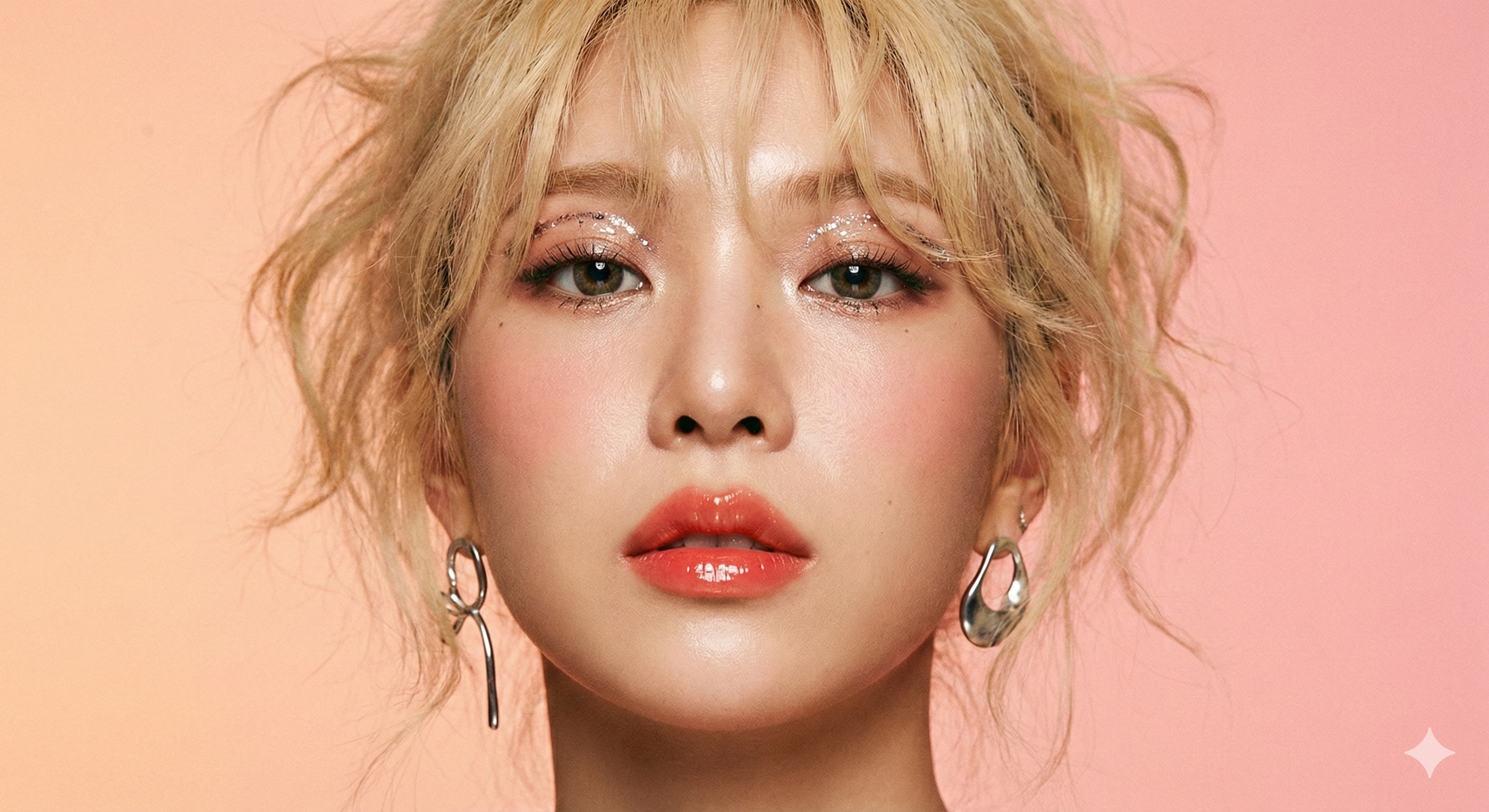
Look at the glitter and skin pores. This level of detail is why creators choose Fanch AI for Virtual Idol creation. A convincing Kpop AI face is the first step to success.
Step 2: Virtual Idol Storytelling (Airport Fashion)
A successful Virtual Idol isn't just about stage performance; it's about the lifestyle. Fans love seeing Kpop AI idols in casual settings, like the famous "Airport Fashion" photos.
Using our image generator, we created a candid shot to build the Virtual Idol's lore.
The Result:
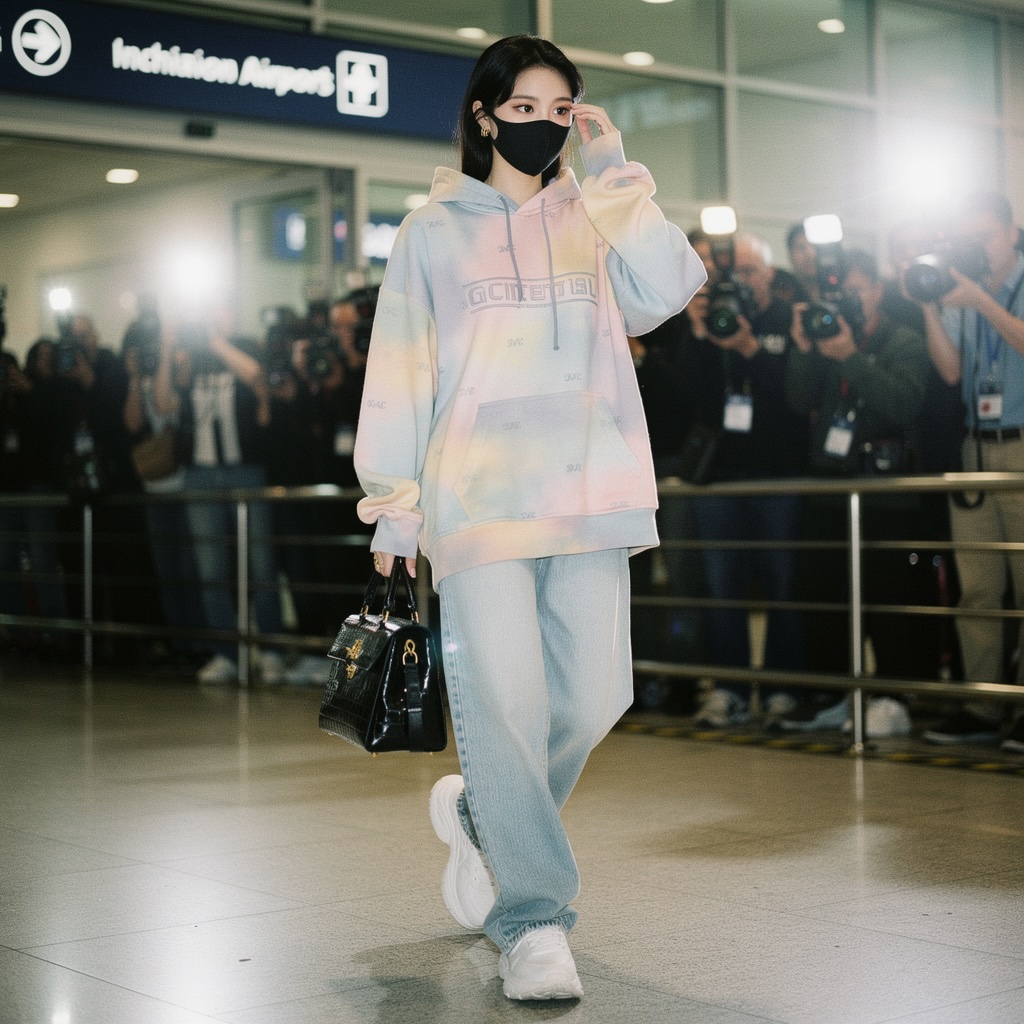
This image adds depth to your Kpop AI character, making her feel like a real celebrity living in Seoul, not just a 3D model.
Step 3: The Debut Stage (Creating a Kpop AI Fancam)
Now for the main event. To go viral on TikTok, static images aren't enough. You need a Kpop AI Fancam.
Many users search for "how to make AI idols dance." Here is the solution.
First, generate the full-body Virtual Idol stage shot:
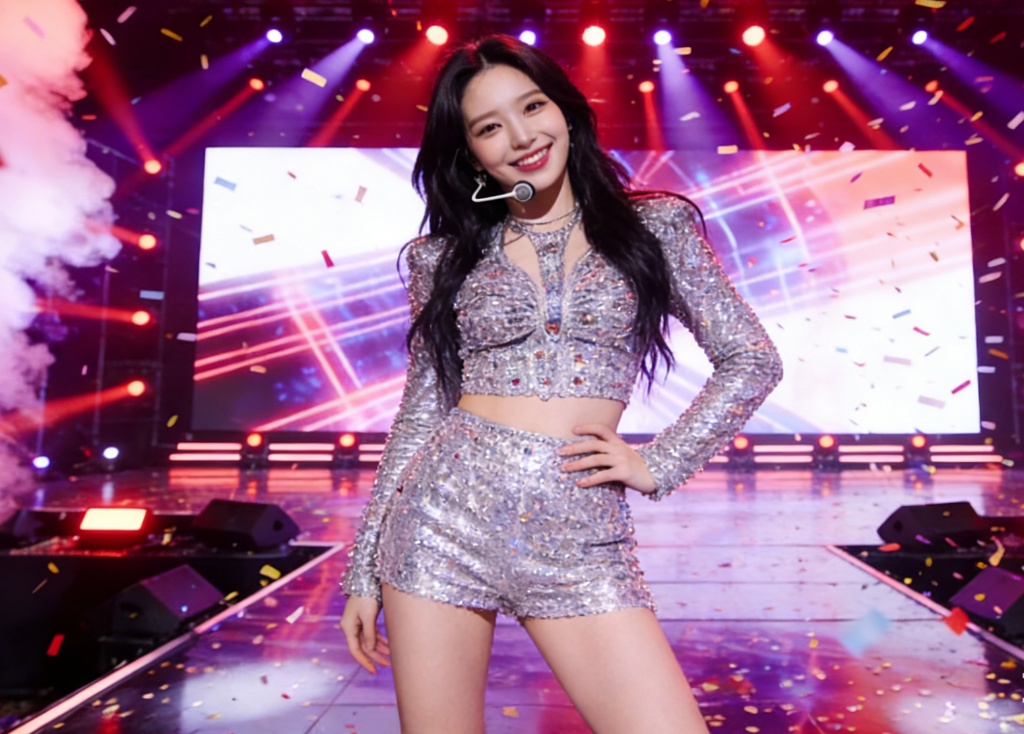
How to animate this into a Kpop AI Fancam:
- Open Kling 2.6 (Image-to-Video) on Fanch AI.
- Upload your Virtual Idol stage image.
- Prompt: "Female Kpop idol dancing, hand waving to camera, dynamic stage lighting, confetti falling, high quality motion."
- Click Generate.
Kling 2.6 is essential for Kpop AI Fancams because it understands human dance moves, allowing your Virtual Idol to perform without distorting.
FAQ: Creating a Virtual Kpop Idol
Q: What is the best tool to create a Kpop AI? A: Fanch AI is the best platform because it combines Flux 2 Pro (for images) and Kling 2.6 (for Kpop AI Fancams) in one dashboard.
Q: Can I monetize my Virtual Idol? A: Yes, many creators use Virtual Idols for brand sponsorships, social media influence, and music videos.
Q: How do I make my Kpop AI character consistent? A: Using the same seed and descriptive prompts on Fanch AI ensures your Virtual Idol looks the same in every photo.
Ready to Debut Your Virtual Idol?
The world is waiting for the next generation of stars. Don't just watch the trend—create it. Start your Kpop AI journey today.