
万圣节 AI 照片热潮:“鬼脸(Ghostface)”复古造型全解析 | Fanch AI
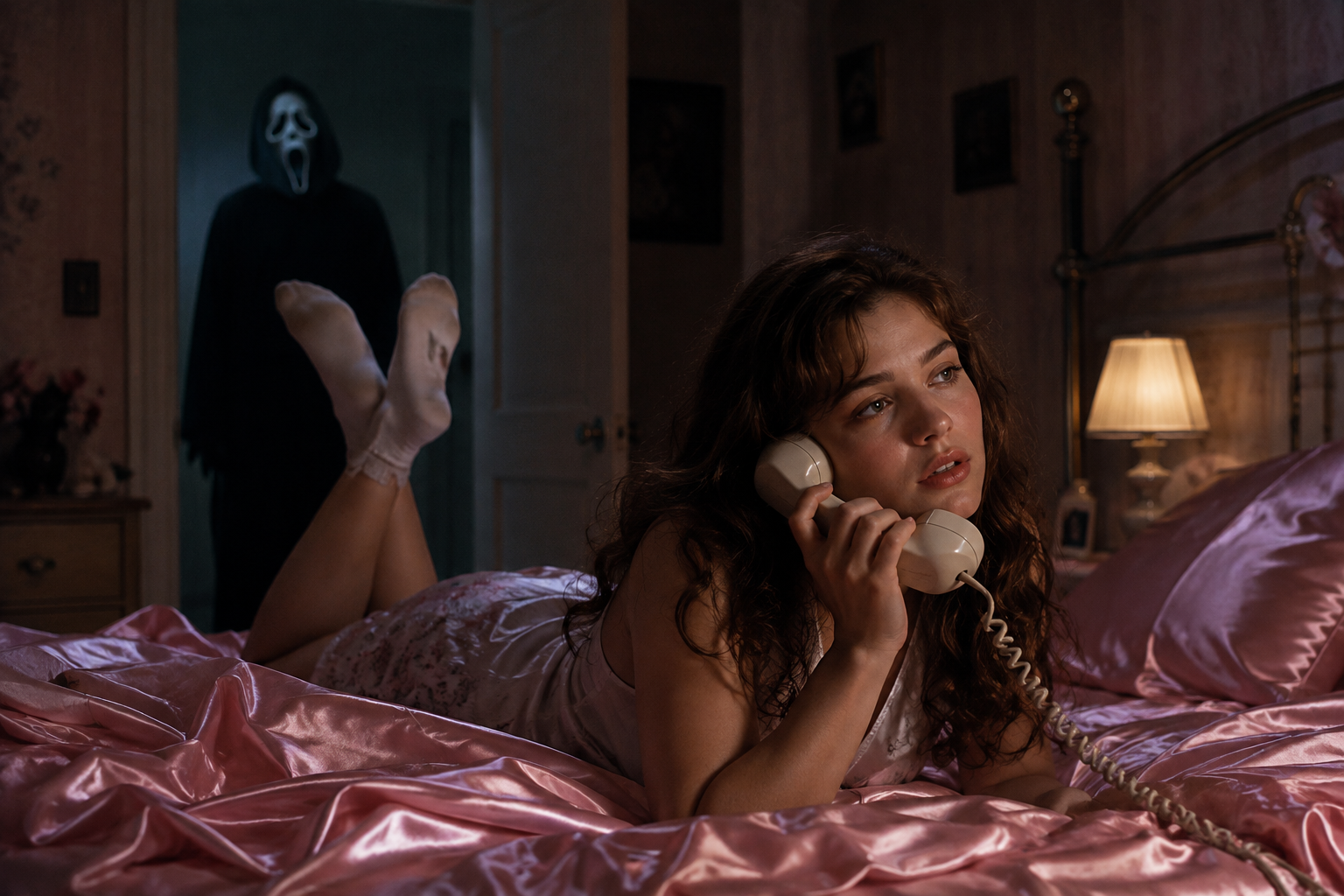
惊悚万圣季已正式到来,有一项热潮正在霸屏各大社交动态流:鬼脸(Ghostface)照片。这个灵感直接来源于经典电影《惊声尖叫》(Scream)——你正舒适地躺在 90 年代复古风的卧室里,而一个身穿连帽长袍、戴着面具的身影正静静地站在你身后的门道里。温馨怀旧与寂静恐慌的巧妙结合,正是万圣节 AI 照片(Halloween AI photo)形式爆火的原因。这是本季辨识度最高的万圣节 AI 照片趋势。
最棒的是它的操作极其简单。你只需要一张自拍、一条提示词和两分钟的时间。以下是万圣节 AI 照片热潮的运作原理,以及如何在 Fanch AI 上创作属于你自己的万圣节 AI 照片。任何人都能凭一条提示词打造出令人信服的万圣节 AI 照片。
为什么鬼脸万圣节 AI 照片热潮能爆火
万圣节 AI 照片的公式是一场关于反差的艺术,而这正是它能够病毒式传播的原因:
- 舒适碰撞恐怖 — 温暖的 Y2K 卧室搭配潜伏的身影,以一种有趣的方式瞬间营造出令人毛骨悚然的氛围。
- 你的面容完整保留 — 一张优质的万圣节 AI 照片会保持你真实的面部特征和肤色不变。
- 极具辨识度 — 每个人都懂这个电影梗,因此一张万圣节 AI 照片只需一眼就能被认出来。
- 无限延伸的场景 — 门廊、走廊、南瓜地和电影海报都适用,一条万圣节 AI 照片提示词即可衍生出整套大片。
最终呈现的照片感觉就像是恐怖电影里的剧照,而不是简单的化妆快照——而这正是优秀万圣节 AI 照片的核心所在。
终极万圣节 AI 照片提示词
这是打造标志性造型的核心提示词。这是最值得掌握的一个基础提示词,因为所有其他万圣节 AI 照片变体都是在此基础上延伸而来的。复制它到 Fanch AI 中,上传你的照片,让模型来构建整个场景。
复制并粘贴至 Fanch AI(模型选择:gpt_image_2):
Create a photo of the uploaded person lying on shiny pink satin bedding in a 1990s-style bedroom, holding a large corded telephone in a dreamy, thoughtful pose, with long loose curls. In the dimly lit doorway behind them, a tall figure in a black hooded robe wearing a pale, elongated ghostly white mask stands silently watching. Slightly dark and ominous background, cinematic horror lighting, subtle film grain, 90s photography aesthetic, photorealistic. Keep the person's real face and features exactly as in the uploaded photo.
一张出色的万圣节 AI 照片的魔力在于平静的主体与背景中诡异元素之间的强烈对比。这正是让这种热潮显得极具电影感而非廉价噱头的关键所在。
更多万圣节 AI 照片变体风格
一旦你掌握了核心造型,只需更换场景设定就能构建一整套大片。每一个变体都保持相同的“保留面部”方法,因此一条万圣节 AI 照片提示词就能扩展成一整个相册。基础的万圣节 AI 照片提示词仅仅是创作的起点。
复制并粘贴至 Fanch AI(模型选择:gpt_image_2):
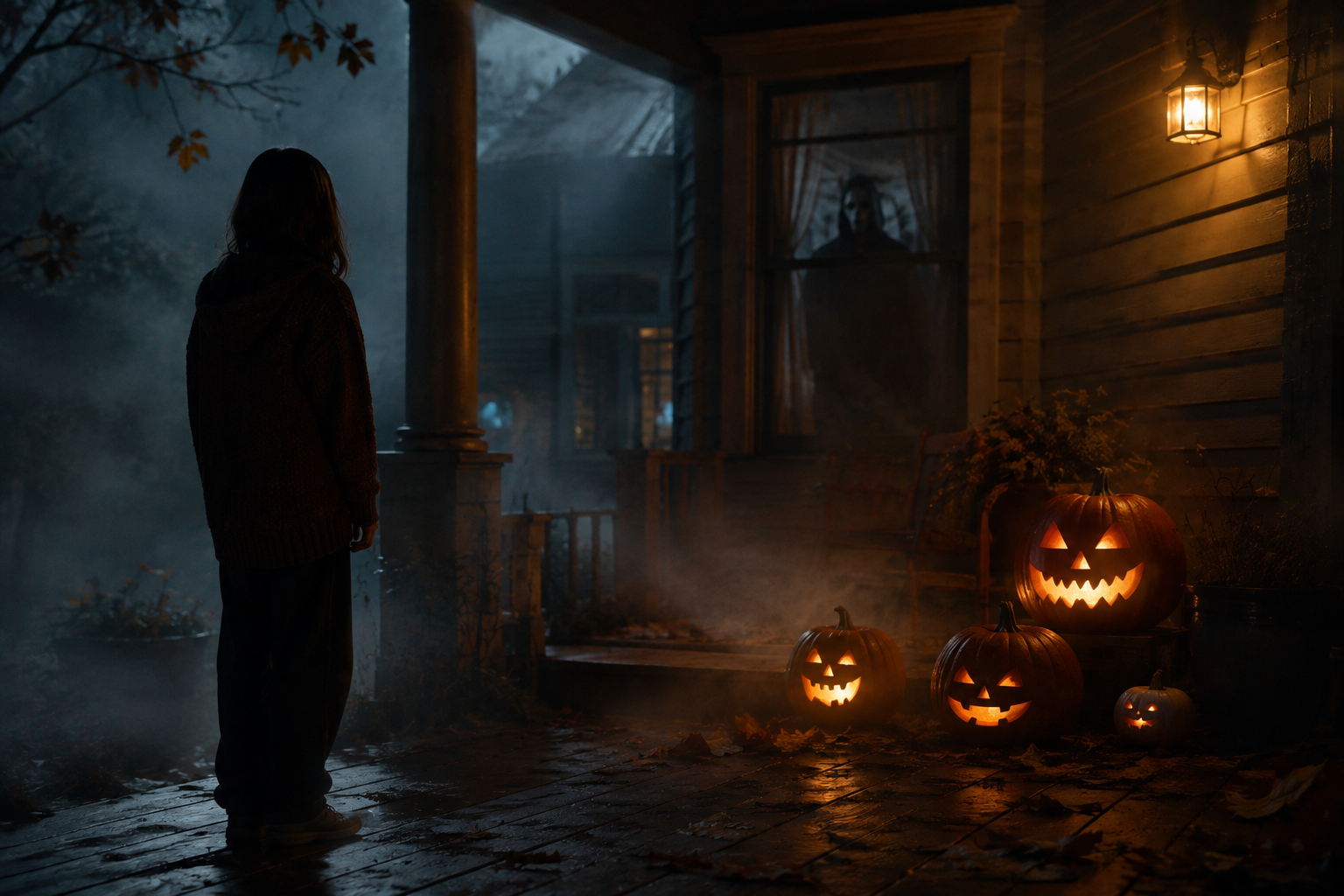
Transform the uploaded photo into a night scene on a foggy front porch, with the person standing beside glowing carved pumpkins and a shadowy masked figure visible through the window behind them. Warm jack-o'-lantern glow against cold blue moonlight, autumn leaves, mist, cinematic spooky atmosphere, photorealistic. Keep the person's face and features unchanged.
复制并粘贴至 Fanch AI(模型选择:gpt_image_2):
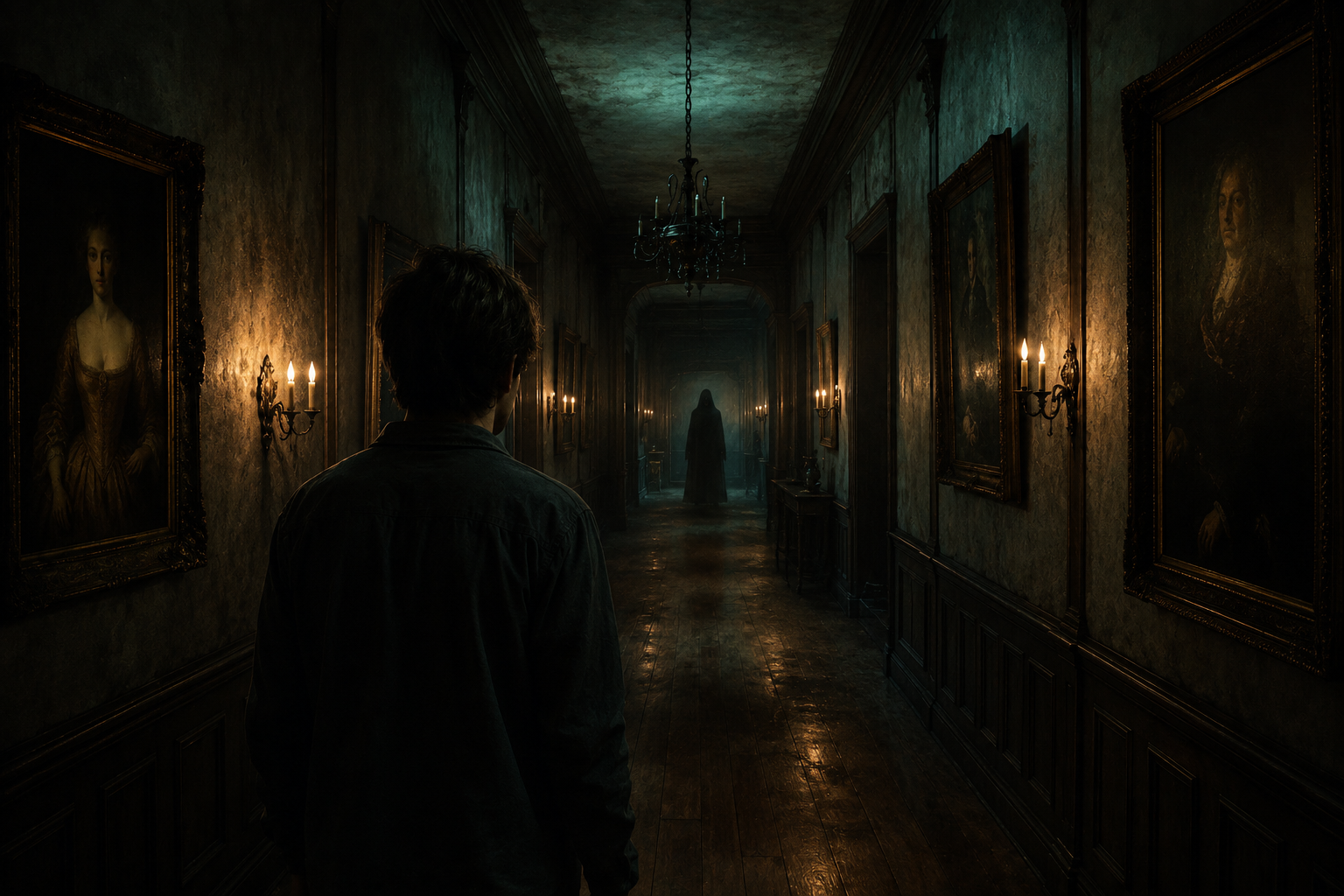
Place the uploaded person at the end of a long, dimly lit hallway lined with old framed portraits and flickering wall sconces, with a faint hooded silhouette far down the corridor. Moody teal and amber lighting, dust suspended in the air, horror-movie cinematography, photorealistic. Keep the person's real face and features exactly as uploaded.
复制并粘贴至 Fanch AI(模型选择:gpt_image_2):
Set the uploaded person in a pumpkin patch at dusk, with mist rolling low across the ground, a weathered scarecrow, and a distant hooded figure standing among the vines. Warm sunset fading into a deep purple sky, cinematic Halloween atmosphere, photorealistic. Keep the person's face and skin tone unchanged.
复制并粘贴至 Fanch AI(模型选择:gpt_image_2):
Turn the uploaded photo into a vintage 1980s-style horror movie poster featuring the person, with bold retro typography, distressed print texture, slightly faded VHS colors, and a spooky silhouette looming in the background. Keep the person's facial features and skin tone exactly as uploaded.
打造更好万圣节 AI 照片的实用技巧
几个微小的细节选择能让你的万圣节 AI 照片看起来真正具有电影质感:
- 从一张在均匀光线下的清晰正面自拍开始,以便模型能精准捕捉面部特征。
- 在每一个万圣节 AI 照片提示词中都保留“preserve the face and skin tone(保留面部特征与肤色)”这行指令,确保人物身份不偏离。
- 描述具体的光影,而不仅是恐怖感——如“cold moonlight(冷蓝色月光)”、“warm pumpkin glow(温暖的南瓜灯光)”、“flickering sconces(闪烁的壁灯)”。
- 保持恐怖感的隐喻性:门道深处的远处人影比直白的跳吓(Jump scare)更令人心惊。
- 生成两到三个版本并挑选你最喜欢的一张万圣节 AI 照片——一张温馨的卧室照,一张户外场景照。
- 保存你最满意的提示词,这样明年复刻万圣节 AI 照片时只需几秒钟。
- 添加雕刻南瓜或蜡烛等季节性道具,将万圣节 AI 照片锚定在节日氛围中。
- 请仅转换你有权使用的照片,切勿未经同意随意编辑他人图像。
为什么 Fanch AI 是制作万圣节 AI 照片的最佳选择
Fanch AI 运行着专用的图像模型,能精准遵循提示词的丰富细节——因此光影、氛围和潜伏的身影都能完美呈现,同时生成的万圣节 AI 照片依然神似你本人。无需摄影棚,也没有复杂的学习曲线——你只需上传自拍,粘贴提示词,即可在万圣季结束前获取一张可以直接发布到社交动态里的万圣节 AI 照片。无论你想要一张惊悚单照还是一整套写真,Fanch AI 都能让你快速完成每一张万圣节 AI 照片的创作。